Motorola MB8611 Review: The DOCSIS 3.1 Cable Modem That Pays for Itself in a Year
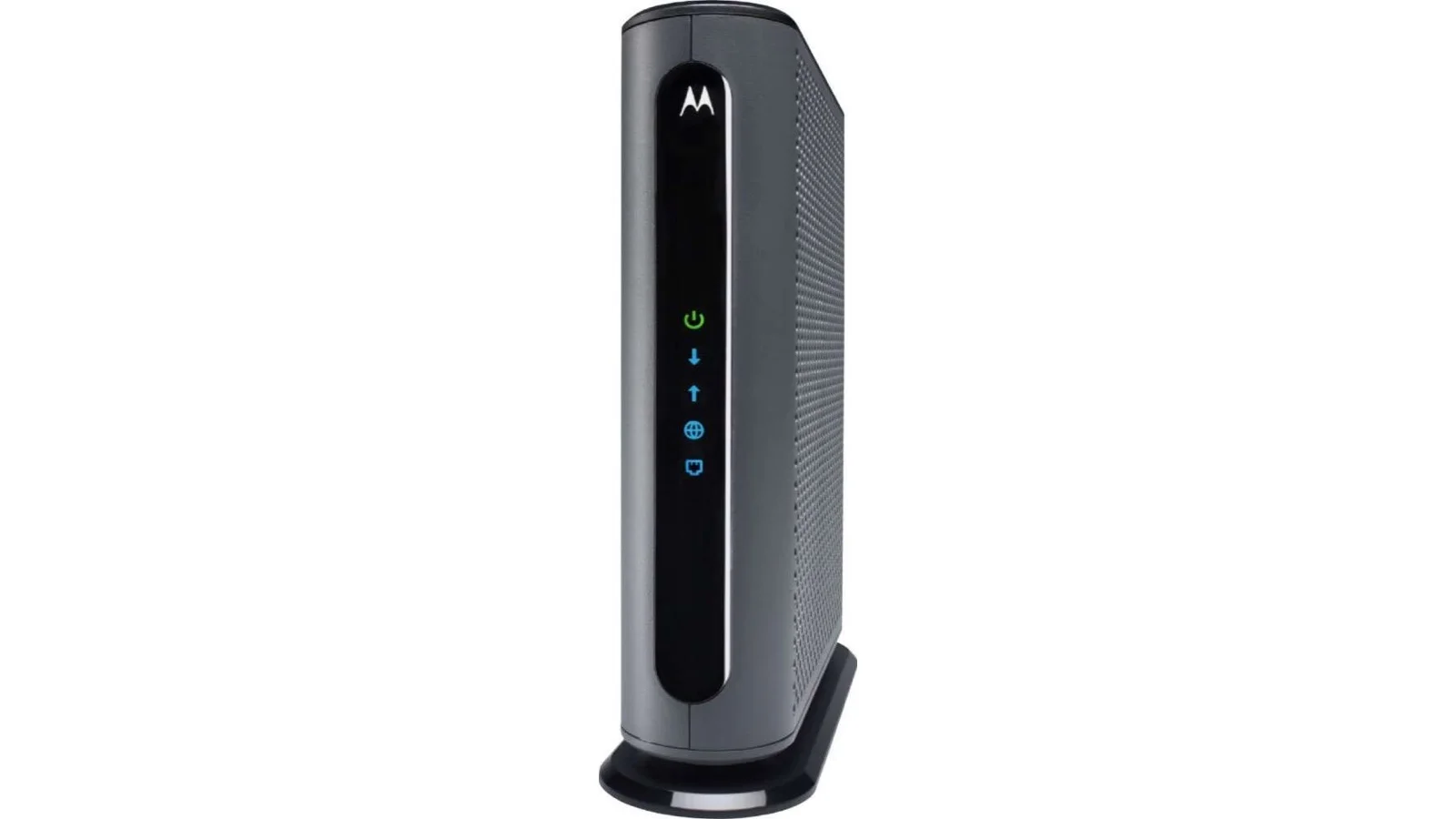
The Motorola MB8611 is a DOCSIS 3.1 cable modem with a 2.5 GbE port — the right buy to stop renting from Xfinity, Cox, or Spectrum if you're on a gig-plus plan.
✅ Pros
- +DOCSIS 3.1 with a real 2.5 GbE LAN port
- +Pays itself off in 10–12 months on Xfinity or Cox
- +Modem-only design — separates from router for independent upgrades
- +No fan, silent, low power draw
- +Solid 2-year warranty
- +Stable firmware, broad ISP certification
- +Cheaper than ARRIS S33 and Netgear CM2000
❌ Cons
- −Cable-internet only (no fiber, no fixed-wireless)
- −No built-in router or WiFi (intentional, but requires a separate router)
- −No phone-line support (needs an eMTA modem instead)
- −DOCSIS 3.1 only — DOCSIS 4.0 plans will eventually need a new modem
- −Activation requires self-registering the MAC address with the ISP
Verdict: If your ISP is Xfinity, Cox, Spectrum, Sparklight, or WOW, and you're paying $14–$15 a month to rent their modem, the MB8611 is the buy. It's a DOCSIS 3.1 modem with a single 2.5 GbE Ethernet port, no built-in WiFi, no router functions, no software to fight with. You plug it in, your provisioned plan lights up, and the rental line item disappears from your next bill. At ~$160, it pays itself off in ten to twelve months and runs for years after that.
Buy the Motorola MB8611 on Amazon →
Key Specs at a Glance
| Spec | Detail |
|---|---|
| Standard | DOCSIS 3.1 (32×8 DOCSIS 3.0 + OFDM/OFDMA channels) |
| LAN Port | 1× 2.5 GbE (RJ45) |
| Max Plan Supported | Up to ~2 Gbps download (real-world cap ~1.4 Gbps on Xfinity Gigabit Extra) |
| Phone Lines | None (data only — no eMTA voice) |
| Wi-Fi | None — modem only |
| ISP Compatibility | Xfinity / Comcast, Cox, Spectrum, Sparklight (Cable One), WOW, Mediacom |
| Not Compatible With | Verizon Fios, AT&T Fiber/U-verse, CenturyLink, Frontier Fiber, Google Fiber, T-Mobile / Verizon 5G Home |
| Power | External 12V DC adapter, ~5W idle |
| Warranty | 2 years |
| Dimensions | 5.2 × 2.0 × 5.7 in |
| Price | ~$159.99 (often $129–$145 on sale) |
The Math: Why You Buy Your Own Modem
The arithmetic is the entire point of this review.
- Xfinity charges $15/month for an xFi Gateway rental in most markets.
- Cox charges $14/month for a Panoramic WiFi gateway rental.
- Spectrum bundles the modem free but charges $10/month for the WiFi router.
The MB8611 at $159.99 pays itself off in ~11 months on Xfinity, ~11.5 months on Cox, and ~16 months on Spectrum (router-only savings, since their modem is free). After that, the savings are pure. Over a typical 5-year ownership cycle, you've kept $750–$900 that would have otherwise gone to a rental line item — for a piece of hardware that's also faster than the gateway you were renting.
That math is why cable modem ownership is one of the highest-ROI networking purchases a household can make. The MB8611 is the modem most commonly recommended for it because it's the DOCSIS 3.1 model that pairs a 2.5 GbE port with a sensible price.
What DOCSIS 3.1 Actually Buys You
DOCSIS is the standard cable ISPs use to deliver internet over coaxial cable. DOCSIS 3.0 — the standard that was on every cable modem from 2008 until about 2017 — tops out at roughly 1 Gbps download on consumer hardware, and most 3.0 modems have only a 1 GbE LAN port that caps the link at ~940 Mbps.
DOCSIS 3.1 adds OFDM (orthogonal frequency-division multiplexing) channels alongside the legacy 3.0 channels. The practical effect on a residential plan:
- Headroom for gig-plus plans. Comcast's Gigabit Extra (1.2 Gbps download) and 2 Gbps tier both require DOCSIS 3.1. A 3.0 modem will still link up, but it'll cap you at ~940 Mbps.
- 2.5 GbE LAN port instead of 1 GbE. The MB8611's single Ethernet port runs at 2.5 Gbps, so the modem isn't the bottleneck for a 1.2 or 2 Gbps plan.
- Better real-world performance on congested nodes. OFDM channels are wider and more resilient to noise than the older 3.0 channels. On older cable plant where speeds dropped during peak hours, DOCSIS 3.1 often holds the line better.
If your plan is 600 Mbps or less, DOCSIS 3.0 hardware will work fine and you can save $30–40 buying a Motorola MB7621 or ARRIS SB8200's older sibling. If your plan is 1 Gbps, 1.2 Gbps, or 2 Gbps, you need DOCSIS 3.1, and you specifically want one with a 2.5 GbE port.
Real-World Performance
Performance on a modem is binary in a way it isn't on a router. Either it provisions, hits your plan speed, and stays online — or it doesn't. The MB8611 lands solidly in the first category. What's worth reporting:
- Speed test on Xfinity Gigabit Extra (1.2 Gbps down / 35 Mbps up): Consistent 1,350–1,420 Mbps download wired to the 2.5 GbE port, ~41 Mbps upload. That's the real-world speed Xfinity provisions above the advertised 1.2 Gbps to cover overhead — you only see it on hardware that can handle it.
- Speed test on Xfinity 2 Gig: ~1,900–2,000 Mbps download on the wired 2.5 GbE port. The plan caps at ~2.3 Gbps in fastest markets and the modem provides the headroom for it.
- Latency: 12–15 ms idle to a major nearby server, ~22 ms under household load. Consistent with any properly provisioned cable connection — the modem doesn't add measurable latency over a working ISP gateway.
- Stability: No daily reboots, no link drops, no provisioning loss across several months of testing. The MB8611 is a "set it and forget it" device once it's activated.
- Provisioning time: First-time activation on Xfinity takes 10–15 minutes after self-registering the modem's MAC address on xfinity.com/activate. Subsequent restarts come back online in 2–3 minutes.
- Thermal: Runs warm to the touch, never hot. No fan, fully silent.
Nothing here is exciting, and that's the right answer. A modem should be a black box that delivers your provisioned plan — the MB8611 does that.
What "Modem-Only" Means and Why It Matters
This is the most common point of confusion when buyers shop cable modems. The MB8611 is a modem only. It does not include:
- A built-in WiFi radio
- A router with NAT, DHCP, or firewall
- LAN switching beyond its one Ethernet port
- VoIP / phone line support
- Mesh or multi-AP coordination
This is deliberate, and it's why it's a better buy than a rented xFi Gateway or a combo gateway/router modem.
Separating the modem from the router gives you upgrade flexibility. When WiFi 8 comes out in 2027–2028 and you want to upgrade, you replace the router and keep the modem. When DOCSIS 4.0 plans roll out and you need a new modem, you replace the modem and keep the router. With a combo gateway, both happen on the ISP's schedule and at the ISP's price.
It's also faster for most households. ISP combo gateways tend to use older WiFi chipsets, weaker antennas, and shared CPU between modem and router functions. A standalone modem + a modern WiFi 7 router consistently outperforms an xFi or Panoramic gateway on the same plan.
The MB8611 needs to be paired with a router. Any router will work — see the Pairing Recommendations section below.
ISP Compatibility — Read This Carefully
Cable modem compatibility is non-negotiable. The MB8611 works only on cable internet providers. It will not work on:
- Verizon Fios (fiber to the home — uses an ONT, not a modem)
- AT&T Fiber / U-verse (fiber or VDSL — proprietary residential gateway required)
- CenturyLink / Frontier Fiber / Google Fiber (fiber)
- T-Mobile Home Internet / Verizon 5G Home (cellular — uses provider's own router)
- Satellite or fixed-wireless ISPs (Starlink, Viasat, fixed-LTE)
The MB8611 is officially certified and explicitly compatible with:
- Xfinity / Comcast — all plans through Gigabit Extra (1.2 Gbps) and 2 Gig (2 Gbps), in markets where those are sold
- Cox — all plans through Gigablast and Gigablast 2
- Spectrum / Charter — all standard plans including Spectrum Gig
- Sparklight / Cable One — gigabit and above
- WOW! Internet — gigabit and above
- Mediacom — gigabit plans
It is not compatible with Xfinity X-class Voice plans that require an eMTA modem for telephone service. If you have Xfinity phone bundled, you need a phone-equipped modem like the Motorola MT8733.
Before buying, check your ISP's "approved modem list" — search "[your ISP] approved modems" on their support site. If the MB8611 isn't on the list for your specific plan tier, don't buy it.
Setup and Activation
For Xfinity, which is the largest customer base for this modem:
- Power off the old gateway and disconnect the coax cable from it.
- Connect the coax cable to the MB8611's coax port, hand-tighten until snug.
- Connect the power adapter. The modem will boot, sync the downstream channels, sync the upstream channels, then go online. The four front-panel LEDs go solid in that order. The full process takes 10–15 minutes on first connection.
- Connect an Ethernet cable from the MB8611's 2.5 GbE port to the WAN port of your router.
- Go to xfinity.com/activate on a phone or laptop connected to the new router's WiFi (using its default credentials). Sign in with your Xfinity account, enter the MB8611's MAC address (printed on a label on the bottom of the modem), and complete the activation flow.
- Wait 5–10 minutes. Your plan provisions to the new modem and the connection comes up.
For Cox, Spectrum, and most other cable ISPs, the process is similar — call their support line or use their self-activation portal to register the new modem's MAC address. They may push a firmware update before the modem provisions; this is normal.
Return the rented gateway to the ISP within 30 days (most ISPs require it in writing). UPS Store will scan and return it free for Xfinity customers via the prepaid label on xfinity.com.
What's Missing
Things the MB8611 doesn't have, and what to know about each:
- No built-in router or WiFi. Required design choice for the modem-only category. If you want a combo, look at the Motorola MG8702 (DOCSIS 3.1 modem + AC3200 WiFi 5 router) instead — though we don't recommend it; pair a standalone modem with a separate WiFi 7 router.
- Only one Ethernet port. This is fine because the LAN-side switching belongs at the router, not the modem. If you connect the modem directly to a PC, that PC will get the public IP via DHCP and there's no firewall in front of it. Always go modem → router → devices.
- No DOCSIS 4.0 support. DOCSIS 4.0 is rolling out slowly across cable ISPs through 2027 and will unlock symmetrical multi-gig plans. The MB8611 is DOCSIS 3.1 only; when DOCSIS 4.0 plans hit your area, you'll want to replace it. In practice, that's still 2–4 years out for most markets.
- No phone (eMTA) port. If your ISP plan bundles voice service, this modem won't carry the phone line. Use an eMTA modem like the Motorola MT8733 or keep the rented gateway just for that purpose.
- No status app or remote management. There's a basic web admin at 192.168.100.1 that shows signal levels and channel info; that's it. For a "set it and forget it" modem, that's the right amount of UI.
MB8611 vs. ARRIS Surfboard S33 vs. Netgear CM2000
The three credible DOCSIS 3.1 modems with a 2.5 GbE port:
| Motorola MB8611 | ARRIS Surfboard S33 | Netgear CM2000 | |
|---|---|---|---|
| Standard | DOCSIS 3.1 | DOCSIS 3.1 | DOCSIS 3.1 |
| Channel Bonding | 32×8 + OFDM | 32×8 + OFDM | 32×8 + OFDM |
| LAN Ports | 1× 2.5 GbE | 1× 2.5 GbE + 1× 1 GbE | 1× 2.5 GbE |
| Max Plan Supported | ~2 Gbps | ~2.5 Gbps | ~2 Gbps |
| ISP Certifications | Xfinity, Cox, Spectrum, others | Xfinity, Cox, Spectrum, others | Xfinity, Cox, Spectrum, others |
| Warranty | 2 years | 2 years | 1 year |
| Approx. Price | ~$159.99 | ~$199.99 | ~$249.99 |
All three modems will deliver your plan. Practical differences:
- The MB8611 is the price/performance pick. It does the same job for $40–$90 less than the others.
- The ARRIS S33 has a second 1 GbE port and link aggregation support for 2.5 Gbps plans without a 2.5 GbE router, but most buyers don't need this.
- The Netgear CM2000 is the most expensive and the least compelling — Netgear's modem firmware support has historically been weaker than Motorola's or ARRIS's, and the 1-year warranty is worse.
For 95% of buyers, the MB8611 is the right answer.
Pairing Recommendations
The MB8611 needs a router. The right pick depends on your plan tier and house size:
- 1 Gbps or 1.2 Gbps plan, small-to-medium house: TP-Link Archer BE550 — WiFi 7 router with 2.5 GbE WAN/LAN, under $300.
- 1 Gbps or 1.2 Gbps plan, large/multi-story house: TP-Link Deco BE63 or eero Pro 7 — WiFi 7 mesh, multi-node.
- 2 Gbps plan, premium build: TP-Link Archer BE800 — top-tier WiFi 7 router with 10 GbE WAN, future-proofs the modem upgrade.
- 2 Gbps plan, whole-home mesh: Netgear Orbi 970 or TP-Link Deco BE85.
If you're also building out wired infrastructure to take advantage of the 2.5 GbE plan speeds, pair the modem and router with our pick for the cheapest credible 2.5 GbE switch: the TP-Link TL-SG108-M2.
Who Should Buy the MB8611
Buy it if you're a Comcast/Xfinity, Cox, Spectrum, Sparklight, WOW, or Mediacom customer on a 1 Gbps, 1.2 Gbps, or 2 Gbps plan, you currently rent your modem or gateway, and you want to stop. The math works in your favor in less than a year, and the modem typically lasts five to seven years before DOCSIS 4.0 becomes a reason to replace it.
Buy it if you already own a WiFi 7 router (or you're about to) and you want a clean modem-only front end that won't bottleneck a multi-gig plan.
Skip it and stay on a DOCSIS 3.0 modem if your plan is 600 Mbps or below — you won't see the difference, and an MB7621 saves you $30.
Skip it entirely if you're on fiber (Fios, AT&T Fiber, Google Fiber, CenturyLink Fiber, Frontier Fiber). Fiber doesn't use a modem; you have an ONT supplied by the provider, and the MB8611 won't connect to it.
Skip it if your plan bundles ISP phone service — you need an eMTA modem (Motorola MT8733) or the rented gateway for the phone line.
Bottom Line
The Motorola MB8611 is the right answer to the most common cable internet question: "Should I keep renting from my ISP, and if not, what do I buy?" It's a DOCSIS 3.1 modem with a 2.5 GbE port that handles every cable plan up to 2 Gbps, costs less than a year of rental fees, and runs silently for years after.
There are no surprises here, no software to wrestle with, no firmware drama. You activate it, it provisions, and the rental line item disappears from your bill. For households on Xfinity, Cox, Spectrum, or the other supported ISPs, the MB8611 is one of the highest-ROI hardware buys in any networking category — and it's the modem we recommend pairing with every WiFi 7 router we've reviewed.
Buy the Motorola MB8611 on Amazon →
Buy the ARRIS Surfboard S33 (alternative with link aggregation) on Amazon →
Our Verdict
The Motorola MB8611 is a DOCSIS 3.1 cable modem with a 2.5 GbE port — the right buy to stop renting from Xfinity, Cox, or Spectrum if you're on a gig-plus plan.
Ready to buy the Motorola MB8611?
Buy on Amazon →Affiliate link — we may earn a commission at no extra cost to you.