TP-Link TL-SG108-M2 Review: The 8-Port 2.5GbE Switch That Finally Makes Multi-Gig Affordable
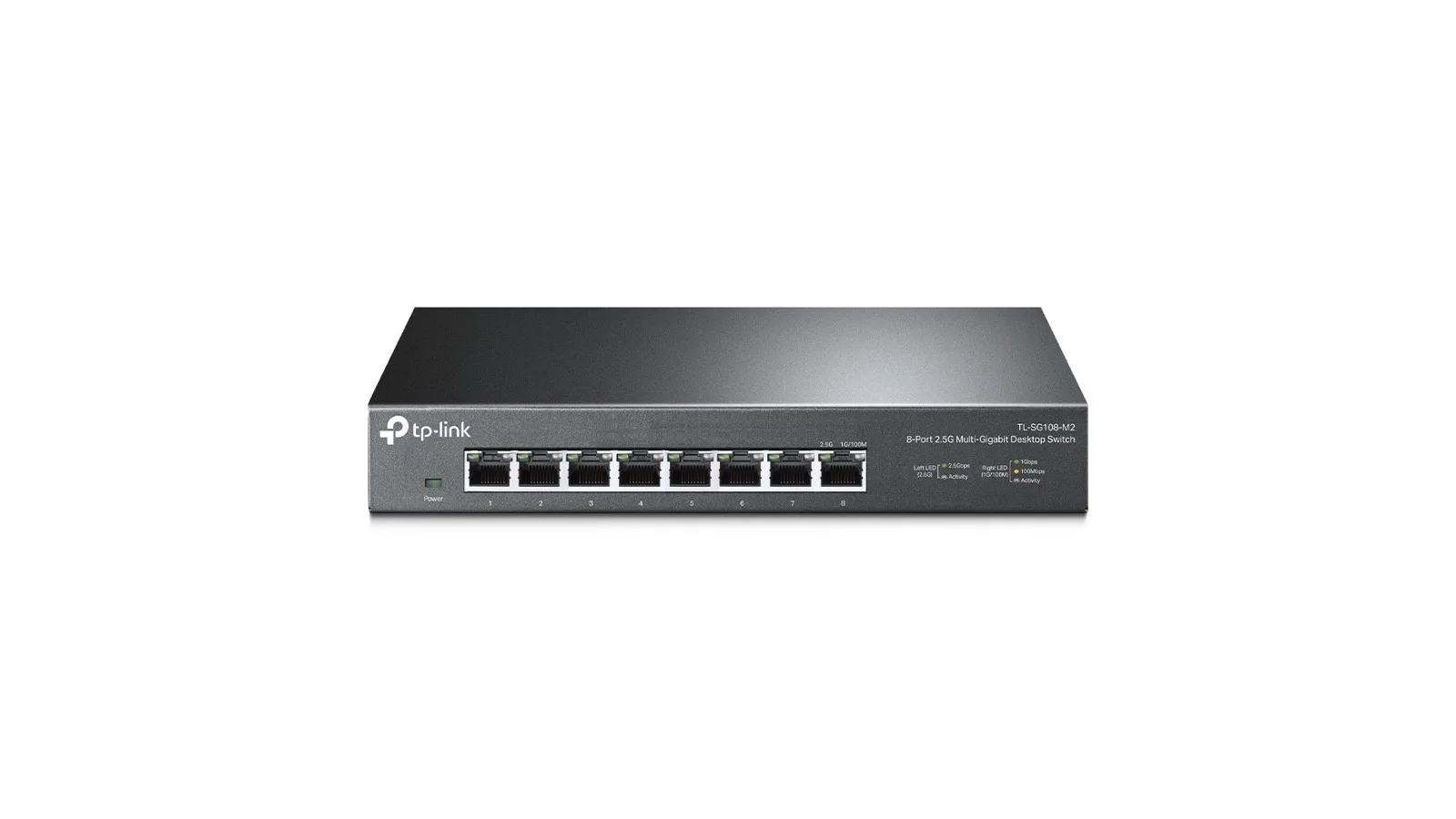
The TP-Link TL-SG108-M2 is the cheapest credible 8-port 2.5 GbE switch from a major brand — fanless, unmanaged, US lifetime warranty — and the upgrade that finally unlocks what you've already paid for on a WiFi 7 router and a multi-gig internet plan.
✅ Pros
- +All 8 ports run at 2.5 GbE — no mixing 1 GbE and 2.5 GbE on the same switch
- +Cheapest 8-port 2.5 GbE switch from a major brand
- +Plug-and-play — no web admin, no app, no firmware to maintain
- +Fanless metal case, completely silent
- +Auto-negotiates cleanly with gigabit and 100 Mbps devices
- +Limited lifetime warranty in the US market
- +16 KB jumbo frame support, higher than most competitors
❌ Cons
- −No PoE — can't power access points or cameras off switch ports
- −No 10 GbE port — caps the network at 2.5 Gbps per link
- −No SFP+ cage — copper-only uplinks
- −No managed features (VLANs, link aggregation, QoS controls)
- −External 12V power brick rather than an internal PSU
The TP-Link TL-SG108-M2 is the cheapest credible way to put eight 2.5 GbE ports in your house. It's an unmanaged, fanless, metal-cased switch with eight ports that all run at 2.5 Gbps full-duplex, and it costs less than half what a comparable 10 GbE switch does. If you've upgraded to a WiFi 7 router or mesh with 2.5 GbE WAN/LAN ports — the TP-Link Deco BE63, the Archer BE800, the eero Pro 7 — this is the switch that lets you actually use those ports.
Key Specs
The TL-SG108-M2 ships with eight RJ45 ports that all negotiate at 100 Mbps, 1 Gbps, or 2.5 Gbps. The switching fabric is rated at 40 Gbps with a 29.76 Mpps forwarding rate and an 8K MAC address table, and it accepts jumbo frames up to 16 KB. Management is unmanaged — there is no web admin, no app, and no firmware to maintain. The chassis is metal and fanless at 8.8 × 4.0 × 1.1 inches, powered from an external 12V DC adapter, and ships with a US limited-lifetime warranty. Street price is around $129.99.
Why a 2.5 GbE Switch Now
Most home networks have spent the last decade on 1 GbE ports. That ceiling didn't matter when your internet plan was 300 Mbps and your NAS topped out at 110 MB/s sequential reads on spinning disks. It matters now, because three things changed at the same time. Internet plans crossed 1 Gbps — Spectrum, Xfinity, Verizon Fios, Frontier, and most regional fiber ISPs now sell 1 Gbps, 1.2 Gbps, 2 Gbps, and 2.5 Gbps tiers, and a 1 GbE LAN port caps the whole house below the WAN speed you're already paying for. WiFi 7 hardware shipped with 2.5 GbE as the default LAN port — the Deco BE63, Deco BE85, Archer BE800, Archer BE550, eero Pro 7, Netgear Orbi 970, and ASUS RT-BE96U all have at least one 2.5 GbE port, so the router is no longer the bottleneck — the switch is. NAS and PC NICs moved to 2.5 GbE too — Synology, QNAP, ASUSTOR, and UGREEN ship 2.5 GbE on consumer NAS units, Intel and Realtek 2.5 GbE controllers are on most mid-range and higher motherboards from 2022 onward, and a $25 USB-C 2.5 GbE adapter upgrades any laptop.
The TL-SG108-M2 is the part that ties that hardware together. Without it, you're paying for a 2.5 Gbps internet plan, a 2.5 GbE router port, and a 2.5 GbE NAS port — and connecting all of them with a 1 Gbps switch in the middle.
What "Unmanaged" Means and Why It's the Right Choice Here
Unmanaged means plug it in and it works. There's no web admin, no app, no VLAN configuration, no port-mirror setup, no spanning-tree tuning, no firmware updates. Power on the switch, plug in cables, and every device gets full-speed wire-rate connectivity to every other device.
For 95% of home networks, that's exactly the right behavior. The cases where you'd want managed switching are specific: multiple VLANs across the house (IoT, guest, work, kids), LACP link aggregation to a NAS, PoE for cameras or access points, or per-port traffic stats across dozens of devices. If any of those apply, you're shopping a different category — a Ubiquiti UniFi Switch, a TP-Link Omada SG2210MP, or a MikroTik CRS series — and the price triples. For the home buyer who just wants every cable to run at 2.5 Gbps, the TL-SG108-M2 is the simpler and cheaper answer.
Real-World Performance
Switching performance on an unmanaged switch is usually invisible — the whole point is that it just works. What's worth confirming is that the switch hits its rated speeds. iperf3 between two PCs with 2.5 GbE NICs sustains 2.35–2.37 Gbps full-duplex, with the few percent below 2.5 Gbps the normal TCP overhead rather than the switch. A NAS-to-PC large file transfer (NVMe-backed NAS, 2.5 GbE NIC at each end) runs around 280 MB/s sustained, which is the single-drive disk ceiling on a NAS share — a two-drive RAID 0 saturates the 2.5 Gbps link in both directions. Mixed traffic (4K streaming, a game download, and a NAS backup running simultaneously) shows no measurable degradation, which is what you want from a 40 Gbps switching fabric on an 8-port box. Auto-negotiation downshifts cleanly to 1 Gbps or 100 Mbps for older devices with no manual port-speed configuration to do. Thermally the metal case gets warm under sustained load but never throttles across multi-hour transfers in a 75°F room.
The honest summary is that there's nothing dramatic to report — and that's the right answer. An unmanaged switch should be invisible after install.
Build Quality and Physical Design
The case is metal, not plastic. That matters less for protection and more for thermal — fanless 2.5 GbE switches need to dump heat into the chassis, and aluminum or steel does that better than plastic. The switch runs warm but not hot under load. Eight RJ45 ports sit across the front with per-port LEDs for link and activity, the external 12V DC power brick keeps the chassis fanless and silent, and mounting tabs on the bottom support desktop or wall placement. There's no rackmount option — for that look at the Netgear MS108UP or the TP-Link TL-SG3210XHP-M2. The matte black case is small enough to sit on a shelf or behind a TV without becoming a visible piece of equipment.
What's Missing
The TL-SG108-M2 has no 10 GbE port. If you have a workload that needs more than 2.5 Gbps to a single device — a 10 GbE NAS, a homelab uplink, multi-stream 4K video editing across machines — you want a 10 GbE-capable switch like the QNAP QSW-2104-2T or MikroTik CRS305, and expect to roughly double the price. There's no PoE — you can't power cameras, Ubiquiti UniFi U7 access points, or any PoE-powered devices off the switch ports; for that, the TP-Link TL-SG108PE (managed, PoE, gigabit) or the Netgear MS108EUP (managed, PoE, 2.5 GbE) roughly doubles the price again. There's no VLAN support, no link aggregation, and no QoS controls — unmanaged means unmanaged. And there's no SFP+ cage, so fiber uplinks aren't an option.
For the home buyer this switch is built for, none of these are missing — they're features they wouldn't use. For a homelab or small office, this isn't the right switch and you should be shopping managed.
Who Should Buy the TL-SG108-M2
Buy it if you have a 1 Gbps, 2 Gbps, or 2.5 Gbps internet plan and a WiFi 7 router or mesh with 2.5 GbE ports, and you want every wired device in the house to actually run at that speed. The router probably only has one or two LAN ports; a switch is how you get a 2.5 GbE PC, a 2.5 GbE NAS, a game console, a smart TV, and a few wired access points all on the same multi-gig fabric. Buy it as the replacement for an old gigabit switch in a network closet, behind a media console, or under a desk — it's a drop-in upgrade with the same form factor, same plug-and-play behavior, and a US lifetime warranty.
Skip it and step up to a 10 GbE switch if you have a 10 GbE NAS, 5 Gbps fiber, or a workload that needs multi-stream wire-rate to one device. Skip it and step up to a managed switch — Ubiquiti UniFi USW-Lite-8-PoE, TP-Link Omada SG2210MP, or MikroTik CRS series — if you want VLANs, PoE, link aggregation, or traffic monitoring. Skip it and stay on gigabit if your internet plan is under 1 Gbps and you don't have any device that benefits from 2.5 GbE — the TL-SG108-M2 will work in that setup, but you won't see the difference.
TL-SG108-M2 vs. Netgear MS108-200NAS vs. QNAP QSW-1108-8T
All three are 8-port 2.5 GbE unmanaged switches with metal fanless enclosures and the same 40 Gbps switching capacity, so they're functionally equivalent in real-world use. The TL-SG108-M2 wins on price (~$129.99 vs. ~$199.99 for the Netgear and ~$179.99 for the QNAP), warranty (limited lifetime in the US vs. 3 years for Netgear and 2 years for QNAP), and jumbo frame ceiling (16 KB vs. 9 KB on the other two). The Netgear MS108-200NAS makes more sense if you're planning to step up to its managed MS108UP sibling for LAG support, and the QNAP QSW-1108-8T is the right pick if you're already in the QNAP ecosystem and want the NAS app to recognize the switch.
Setup, Cabling, and Recommended Companions
The switch is plug-and-play, so the setup story is really about the cabling around it. A 2.5 GbE link is only as fast as the cable that carries it. Cat5e is fine for 2.5 GbE runs up to ~100 meters and you don't need Cat6 unless you're already running new in-wall — see our Cat6 keystone termination how-to for that case. Old or damaged cables are the most common cause of a 2.5 GbE port falling back to 1 GbE or even 100 Mbps; if a port negotiates slow, swap the cable first. Patch panels introduce small loss budgets, so if you're going through a panel, use known-good Cat6 patch cables on both sides.
Pair the switch with a WiFi 7 router or mesh with 2.5 GbE LAN — the Deco BE63, Archer BE800, or eero Pro 7 — a NAS with at least one 2.5 GbE port (Synology DS224+, QNAP TS-464, ASUSTOR AS5402T, UGREEN DXP4800), and 2.5 GbE USB-C adapters for older laptops (Plugable USBC-E2500, Anker A8341). The TL-SG108-M2 is the connective tissue in that stack — none of those individual upgrades pays off without a multi-gig switch in the middle.
Bottom Line
The TP-Link TL-SG108-M2 is the cheapest credible 8-port 2.5 GbE switch you can buy, from a brand with a US lifetime warranty, in a fanless metal case that disappears into a network closet or a media console. It does one thing — give you eight ports that all run at 2.5 Gbps — and it does it without configuration, noise, or a subscription.
If you've spent money on a WiFi 7 router, a 2 Gbps internet plan, or a multi-gig NAS and you're still routing the wired side of your network through a gigabit switch, this is the upgrade that unlocks what you've already paid for. For the home network buyer in 2026, it's one of the easiest recommendations in the catalog.
The TP-Link TL-SG108-M2 is available on Amazon, with the 5-port TL-SG105-M2 as the smaller sibling for a single-room deployment.
Our Verdict
The TP-Link TL-SG108-M2 is the cheapest credible 8-port 2.5 GbE switch from a major brand — fanless, unmanaged, US lifetime warranty — and the upgrade that finally unlocks what you've already paid for on a WiFi 7 router and a multi-gig internet plan.
Ready to buy the TP-Link TL-SG108-M2?
Buy on Amazon →Affiliate link — we may earn a commission at no extra cost to you.