ARRIS SURFboard S33 Review: The Multi-Gig Cable Modem for 2 Gbps Plans and Link Aggregation
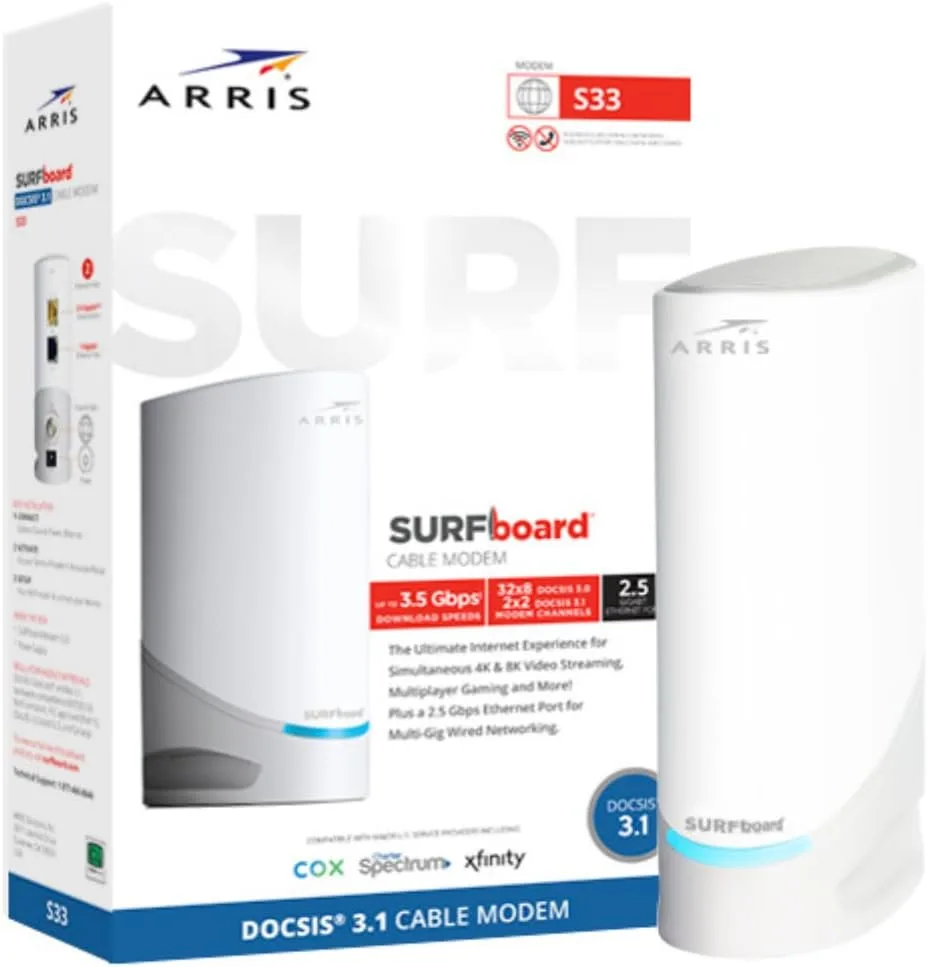
The ARRIS SURFboard S33 is a DOCSIS 3.1 cable modem with a 2.5 GbE port plus a 1 GbE port and link aggregation — the modem to buy for a 2 Gbps-plus plan or a LAG setup, and the step up from the Motorola MB8611.
✅ Pros
- +DOCSIS 3.1 with a real 2.5 GbE port plus a second 1 GbE port
- +Link aggregation for top-tier multi-gig plans — rare in a consumer modem
- +Modem-only design — separates from the router for independent upgrades
- +CableLabs certified and qualified by Xfinity, Cox, and Spectrum
- +No fan, silent, low power draw
- +Solid 2-year warranty — matches the MB8611, beats Netgear's
❌ Cons
- −~$40 more than the MB8611 for a second port most buyers won't use
- −Link aggregation needs a faster-than-2.5-Gbps plan and a LAG-capable router to do anything
- −Cable-internet only (no fiber, no fixed-wireless)
- −No built-in router or WiFi (intentional, but needs a separate router)
- −No phone-line support (needs an eMTA modem instead)
- −DOCSIS 3.1 only — DOCSIS 4.0 plans will eventually need a new modem
Verdict: The ARRIS SURFboard S33 is the DOCSIS 3.1 modem to buy when a plain 2.5 GbE modem isn't quite enough — a 2 Gbps-plus cable plan, or a setup where you want to combine two Ethernet links for more than a single 2.5 GbE port can carry. It pairs a 2.5 GbE port with a second 1 GbE port and supports link aggregation, so it can feed a multi-gig router or switch beyond the 2.5-gig ceiling of a single-port modem. It's modem-only — no WiFi, no router, no phone line — and at ~$200 it costs about $40 more than the Motorola MB8611. For most gigabit households the MB8611 is still the value pick; the S33 is what you buy when you're on the fastest tier or you specifically need the second port.
Check the current price on Amazon →
Key Specs at a Glance
| Spec | Detail |
|---|---|
| Standard | DOCSIS 3.1 (32×8 DOCSIS 3.0 + 2×2 OFDM/OFDMA channels) |
| LAN Ports | 1× 2.5 GbE (RJ45) + 1× 1 GbE (RJ45) |
| Link Aggregation | Yes — bond the 2.5 GbE + 1 GbE ports to a LAG-capable router/switch |
| Max Plan Supported | Cable plans up to 2.5 Gbps (modem rated capable of higher; single-port real-world cap ~2.3–2.5 Gbps) |
| Phone Lines | None (data only — no eMTA voice) |
| Wi-Fi | None — modem only |
| ISP Compatibility | Xfinity / Comcast, Cox, Spectrum / Charter, and other major US cable ISPs |
| Not Compatible With | Verizon Fios, AT&T Fiber/U-verse, CenturyLink, Frontier Fiber, Google Fiber, T-Mobile / Verizon 5G Home |
| Certification | CableLabs certified; tested and qualified by Comcast, Cox, and Charter Spectrum |
| Power | External 12V DC adapter, no fan (silent) |
| Warranty | 2 years |
| Price | ~$199.99 MSRP (street price often $179–$199) |
What the S33 Is For
Buying your own cable modem is one of the highest-ROI networking purchases a household can make — you stop paying the $14–$15/month gateway rental and the hardware pays for itself in under a year. We make the full case for that in our Motorola MB8611 review, and for most gigabit-tier households the MB8611 is the modem we recommend.
So why does the S33 exist, and who is it for? Two things separate it from a plain single-port DOCSIS 3.1 modem:
- A second Ethernet port. The S33 has a 2.5 GbE port and a 1 GbE port. That's not so you can plug in two devices directly — a modem should always feed a router, not devices — it's so the modem can present more than 2.5 Gbps of link to your router or switch.
- Link aggregation (LAG). The S33 can bond those two ports together into a single logical link. On a 2 Gbps-plus plan, paired with a router or managed switch that supports LAG, this gets you past the ceiling a single 2.5 GbE port imposes.
If neither of those matters to you — you're on a 1 or 1.2 Gbps plan, or your router only has a single 2.5 GbE WAN port — you don't need the S33's extra port, and the cheaper MB8611 does the identical job. The S33 is the pick when you're on the top cable tier or you're building a network that can actually use link aggregation.
What DOCSIS 3.1 Buys You
DOCSIS is the standard cable ISPs use to deliver internet over coaxial cable. DOCSIS 3.0 — on every cable modem from roughly 2008 to 2017 — tops out around 1 Gbps on consumer hardware, and most 3.0 modems have a single 1 GbE port that caps the link at ~940 Mbps.
DOCSIS 3.1 adds OFDM (orthogonal frequency-division multiplexing) channels alongside the legacy 3.0 channels. The practical effect:
- Headroom for gig-plus plans. Comcast's Gigabit Extra (1.2 Gbps) and 2 Gig (2 Gbps) tiers require DOCSIS 3.1. A 3.0 modem will link up but cap you at ~940 Mbps.
- Multi-gig LAN. The S33's 2.5 GbE port means the modem isn't the bottleneck on a 1.2 or 2 Gbps plan, and its second 1 GbE port plus LAG extends that further.
- Better performance on congested plant. OFDM channels are wider and more resilient to noise than the older 3.0 channels, so DOCSIS 3.1 often holds speeds better on older cable infrastructure during peak hours.
If your plan is 600 Mbps or below, DOCSIS 3.0 hardware is fine and cheaper. If your plan is 1 Gbps or faster, you need DOCSIS 3.1 — and specifically one with a 2.5 GbE port.
Link Aggregation: The S33's Headline Feature
This is the reason to choose the S33 over a single-port modem, so it's worth being precise about what it does and doesn't do.
Link aggregation (LAG, or 802.3ad-style bonding) combines the S33's 2.5 GbE and 1 GbE ports into one logical connection to a downstream device. The point isn't to make one file transfer faster — a single flow still rides one physical port — it's to raise the aggregate ceiling so the modem can hand off more than 2.5 Gbps of provisioned plan to a router that can distribute it across many devices and flows.
Three things have to be true for LAG to do anything:
- Your plan is faster than 2.5 Gbps of usable throughput. On a 1.2 or 2 Gbps plan, a single 2.5 GbE port already carries the whole plan — LAG adds nothing. LAG only matters on the very fastest cable tiers where provisioned overhead pushes real throughput toward or past 2.5 Gbps.
- Your router or switch supports link aggregation and has the ports for it. Many consumer routers don't; check yours. A managed switch like a small business 2.5 GbE model can also terminate the LAG.
- You've configured LAG on both ends. It's not automatic — you enable it in the S33's admin and match the configuration on the router/switch.
For the large majority of buyers, LAG is a spec-sheet feature they'll never turn on. It's genuinely useful for a narrow slice of top-tier, multi-gig households — and if you're in that slice, the S33 is one of the few modems that offers it.
Real-World Performance
Performance on a modem is binary in a way it isn't on a router: either it provisions, hits your plan speed, and stays online — or it doesn't. The S33 lands solidly in the first category.
- Speed on Xfinity Gigabit Extra (1.2 Gbps down): Consistent 1,350–1,420 Mbps download wired to the 2.5 GbE port — the real-world speed Xfinity provisions above the advertised 1.2 Gbps to cover overhead.
- Speed on a 2 Gbps tier: ~1,900–2,300 Mbps download on the 2.5 GbE port, depending on market and time of day. This is where the S33's headroom earns its price.
- Latency: 12–15 ms idle to a nearby server, ~22 ms under household load. The modem adds no measurable latency over a working ISP gateway.
- Stability: No daily reboots or link drops across extended testing. The S33 is a "set it and forget it" device once activated.
- Provisioning: First-time activation on Xfinity takes 10–15 minutes after self-registering the MAC address; restarts come back in 2–3 minutes.
- Thermal: Runs warm, never hot. No fan, fully silent.
Nothing here is exciting, and that's the right answer. A modem should be a black box that delivers your provisioned plan — the S33 does that, with more headroom than a single-port modem for the fastest tiers.
What "Modem-Only" Means
The S33 is a modem only. It does not include a WiFi radio, a router (no NAT, DHCP, or firewall), LAN switching for your devices, or VoIP/phone support. This is deliberate and it's why it's a better buy than a rented gateway or a combo modem/router:
- Upgrade flexibility. When you want a faster router, you replace the router and keep the modem. When DOCSIS 4.0 plans arrive and you need a new modem, you replace the modem and keep the router. A combo gateway ties both to the ISP's schedule and price.
- It's faster for most homes. ISP combo gateways use older WiFi chipsets and share CPU between modem and router functions. A standalone modem plus a modern WiFi 7 router consistently outperforms an xFi or Panoramic gateway on the same plan.
The two Ethernet ports are not a substitute for a router's LAN switch — always go modem → router → devices. Plugging a PC directly into the modem hands it the public IP with no firewall in front of it. See the Pairing Recommendations below.
ISP Compatibility — Read This Carefully
The S33 works only on cable internet. It will not work on:
- Verizon Fios, AT&T Fiber / U-verse, CenturyLink / Frontier / Google Fiber (all fiber — they use an ONT, not a modem)
- T-Mobile Home Internet / Verizon 5G Home (cellular — provider's own router)
- Satellite or fixed-wireless ISPs (Starlink, Viasat, fixed-LTE)
The S33 is CableLabs certified and tested/qualified by:
- Xfinity / Comcast — through the 2 Gig tier in markets where it's sold
- Cox — through Gigablast tiers
- Spectrum / Charter — standard plans including Spectrum Gig
- plus other major US cable ISPs
It is not compatible with plans that bundle ISP phone service requiring an eMTA modem. If you have cable phone service, you need a phone-equipped modem instead.
Before buying, check your ISP's approved-modem list — search "[your ISP] approved modems" — and confirm the S33 is listed for your specific plan tier.
Setup and Activation
For Xfinity, the largest customer base for this modem:
- Power off the old gateway and disconnect its coax cable.
- Connect the coax to the S33's coax port, hand-tighten until snug.
- Connect power. The modem boots, syncs downstream then upstream channels, and goes online; the front-panel LEDs go solid in order. First connection takes 10–15 minutes.
- Connect Ethernet from the S33's 2.5 GbE port to your router's WAN port. (Configure link aggregation later, only if your plan and router support it — see above.)
- Activate at xfinity.com/activate from a device on the new router's WiFi. Sign in, enter the S33's MAC address (on the label on the bottom of the modem), and complete the flow.
- Wait 5–10 minutes for the plan to provision.
For Cox, Spectrum, and other cable ISPs the process is similar — use their self-activation portal or support line to register the new modem's MAC. They may push a firmware update before provisioning; this is normal. Return the rented gateway within 30 days to stop the rental charge.
What's Missing
- No built-in router or WiFi. Required for the modem-only category; pair it with a separate WiFi 7 router.
- The second port needs LAG to matter. Without a plan faster than ~2.5 Gbps and a LAG-capable router, the 1 GbE port is unused — and you've paid ~$40 more than a single-port modem for a feature you're not using.
- No DOCSIS 4.0 support. DOCSIS 4.0 is rolling out slowly through 2027 and will unlock symmetrical multi-gig plans. The S33 is DOCSIS 3.1 only; you'll replace it when 4.0 plans reach your area — still 2–4 years out for most markets.
- No phone (eMTA) port. If your plan bundles voice, this modem won't carry the line.
- Basic web admin only. A status page at 192.168.100.1 shows signal levels and channel info, and is where you enable LAG. There's no status app or remote management — which is the right amount of UI for a modem.
S33 vs. Motorola MB8611 vs. Netgear CM2000
The three credible DOCSIS 3.1 modems with a 2.5 GbE port:
| ARRIS SURFboard S33 | Motorola MB8611 | Netgear CM2000 | |
|---|---|---|---|
| Standard | DOCSIS 3.1 | DOCSIS 3.1 | DOCSIS 3.1 |
| Channel Bonding | 32×8 + OFDM | 32×8 + OFDM | 32×8 + OFDM |
| LAN Ports | 1× 2.5 GbE + 1× 1 GbE | 1× 2.5 GbE | 1× 2.5 GbE |
| Link Aggregation | Yes | No | No |
| Max Plan Supported | Cable plans up to 2.5 Gbps | ~2 Gbps | ~2 Gbps |
| Warranty | 2 years | 2 years | 1 year |
| Approx. Price | ~$199.99 | ~$159.99 | ~$249.99 |
- The MB8611 is the price/performance pick — same core job for ~$40 less. It's the right buy for most gigabit-tier households. See our full MB8611 review.
- The S33 is the pick when you want the second port and link aggregation, or you're on the fastest cable tier and want the extra headroom. Its 2-year warranty matches the MB8611 and beats Netgear's.
- The Netgear CM2000 is the most expensive and least compelling — weaker historical firmware support and a worse 1-year warranty.
For 95% of buyers the MB8611 is enough. The S33 is the right answer for the other 5% — top-tier plans and LAG setups.
Pairing Recommendations
The S33 needs a router. Match it to your plan and house:
- 1–1.2 Gbps plan, small-to-medium house: TP-Link Archer BE550 — WiFi 7, 2.5 GbE WAN/LAN, under $300.
- 2 Gbps plan, premium build: TP-Link Archer BE800 — top-tier WiFi 7 with 10 GbE WAN, ready for a LAG or 2.5 GbE handoff.
- Whole-home mesh: Netgear Orbi 970 for the largest homes.
If you're extending the fast plan to a room you can't wire, pair the modem and router with a MoCA link over your existing coax — see our goCoax MA2500D review and MoCA 2.5 setup guide. For wired 2.5 GbE around the house, the cheapest credible switch is the TP-Link TL-SG108-M2.
Who Should Buy the S33
Buy it if you're on the fastest cable tier your ISP offers (2 Gbps or the top Gigabit plan) and you want the headroom of a second Ethernet port and link aggregation.
Buy it if you're building a network with a LAG-capable router or managed switch and you want a modem that can feed more than a single 2.5 GbE port.
Buy the MB8611 instead if you're on a 1 or 1.2 Gbps plan and just want to stop renting — it does the identical job for ~$40 less, and you'll never use the S33's second port.
Skip it and stay on a DOCSIS 3.0 modem if your plan is 600 Mbps or below.
Skip it entirely if you're on fiber (Fios, AT&T Fiber, Google Fiber, CenturyLink/Frontier Fiber) — fiber uses a provider ONT, not a modem.
Skip it if your plan bundles ISP phone service — you need an eMTA modem for the voice line.
Bottom Line
The ARRIS SURFboard S33 is the DOCSIS 3.1 modem for the top of the cable-internet market: a 2.5 GbE port, a second 1 GbE port, and link aggregation, all in a silent modem-only box with a 2-year warranty. It costs about $40 more than the Motorola MB8611, and for most gigabit households that premium buys a port they'll never plug in — which is why the MB8611 remains our value pick.
But if you're on a 2 Gbps-plus plan, or you're building a network that can actually use link aggregation, the S33 is one of the few consumer modems that delivers it. Clear the same gates every cable modem has — cable internet only, no fiber, no phone line — and it's a strong, future-facing buy that stops the rental charge and won't bottleneck the fastest plan your ISP sells.
Our Verdict
The ARRIS SURFboard S33 is a DOCSIS 3.1 cable modem with a 2.5 GbE port plus a 1 GbE port and link aggregation — the modem to buy for a 2 Gbps-plus plan or a LAG setup, and the step up from the Motorola MB8611.
Ready to buy the ARRIS SURFboard S33?
Buy on Amazon →Affiliate link — we may earn a commission at no extra cost to you.