NVIDIA Shield TV Pro Review: The Power-User Streamer the Apple TV 4K Can't Replace
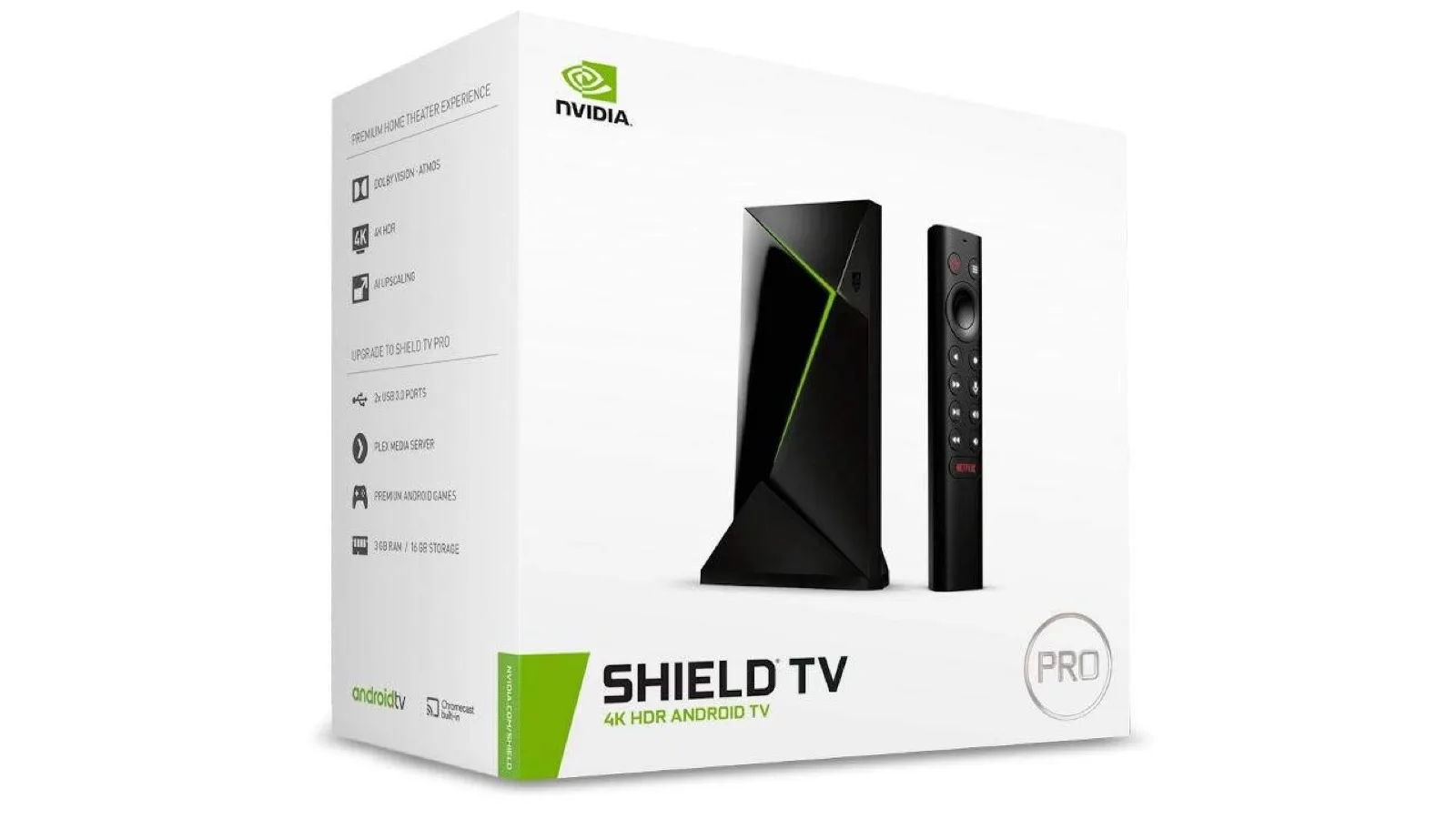
The NVIDIA Shield TV Pro pairs a Tegra X1+, 3 GB RAM, AI 4K upscaling, Plex Media Server, and full Android TV sideloading into a $199 box. The right streamer for Plex hosts, retro gamers, and anyone outside the Apple ecosystem.
✅ Pros
- +Plex Media Server hosting on-device — the only mainstream streamer that can run a Plex server, not just a Plex client
- +NVIDIA AI-Enhanced 4K upscaling for 480p / 720p / 1080p sources in real time
- +Full Android TV with sideloading — APKs, ADB, RetroArch, Kodi, SmartTube Next all work natively
- +Dolby Vision, HDR10, HDR10+, HLG, Dolby Atmos, and DTS:X passthrough all handled correctly
- +Two USB 3.0 ports for external storage, controllers, or peripherals
- +Gigabit Ethernet for high-bitrate Plex direct play and GeForce NOW
- +Built-in GeForce NOW client up to 4K @ 60 Hz with RTX 4080-class cloud hardware
- +Native retro emulation through GameCube and PS2 via RetroArch on the Tegra X1+
- +Bundled remote includes IR blaster for TV/AVR control plus lost-remote finder
❌ Cons
- −2019-era Tegra X1+ feels slower than Apple TV 4K's A15 Bionic in UI navigation
- −No Wi-Fi 6 / 6E / 7 — capped at Wi-Fi 5 (AC, 2×2 MIMO)
- −HDMI 2.0b only — no 4K @ 120 Hz, no VRR, no HDMI 2.1 features
- −No hardware AV1 decode — falls back to VP9/HEVC on AV1 streams
- −16 GB internal storage is tight for modern apps and games
- −Google TV launcher is cluttered with sponsored content and recommendations
- −Triangular Shield remote shape is polarizing — many owners replace it
- −$199.99 is the most expensive set-top streamer in the mainstream tier
Verdict: The NVIDIA Shield TV Pro is the right streamer for power users who refuse to be locked into the Apple ecosystem. At $199.99 it's the only mainstream set-top box that runs a Plex Media Server, AI-upscales 1080p content to 4K in real time, sideloads APKs, and plugs USB storage in directly — none of which the Apple TV 4K can do at any price. The trade is honest: the 2019-era Tegra X1+ is slower than Apple's A15 Bionic, there's no Wi-Fi 6, and HDMI tops out at 2.0b. If you're already in the Apple house, buy the Apple TV. For everyone else — Plex hosts, retro gaming enthusiasts, GeForce NOW gamers, and anyone who wants a streamer that bends to them instead of the other way around — the Shield Pro is still the box to beat seven years after launch.
Buy the NVIDIA Shield TV Pro on Amazon →
Key Specs at a Glance
| Spec | Detail |
|---|---|
| Processor | NVIDIA Tegra X1+ (256-core Maxwell GPU) |
| Memory | 3 GB RAM |
| Storage | 16 GB internal, expandable via USB or microSD (USB-C adapter) |
| USB | 2 × USB 3.0 Type-A |
| Network | Gigabit Ethernet, Wi-Fi 5 (AC, 2×2 MIMO), Bluetooth 5.0 |
| HDMI | HDMI 2.0b (4K @ 60 fps, HDCP 2.2) |
| Video Output | 4K HDR @ 60 fps, Dolby Vision, HDR10, HDR10+, HLG |
| Audio | Dolby Atmos and DTS:X passthrough (lossless TrueHD, DTS-HD MA, eARC bitstream) |
| AI Upscaling | NVIDIA AI-Enhanced upscaling (480p/720p/1080p → 4K) |
| OS | Android TV 11 (Google TV interface on current firmware) |
| Streaming Gaming | GeForce NOW (built-in client, up to 4K 120 Hz with Ultimate tier) |
| Remote | Triangular Shield Remote with backlit buttons, motion-activation, IR blaster, lost-remote finder, voice search |
| Voice Assistants | Google Assistant, Alexa (with Alexa-enabled speaker) |
| Plex Media Server | Built-in (Shield can host, not just play) |
| Dimensions | 6.5" × 1.57" × 1.57" (cylindrical-rectangular tube) |
| Weight | 9.17 oz (260 g) |
| Power | External 40W adapter |
| Price | $199.99 USD |
What Makes the Shield Pro Different
There are three things the Shield TV Pro does that no other mainstream streamer does — and they're the only reason to buy it over the cheaper Apple TV 4K, a Roku Ultra, or a Fire TV Stick 4K Max.
Plex Media Server hosting. The Shield Pro is the only set-top box that can act as a Plex server, not just a Plex client. Plug a USB 3.0 hard drive or SSD into one of the two USB ports, install the Plex Media Server app, and the Shield becomes a 24/7 always-on server that streams your local media library to every other device on the network. Phones, tablets, other TVs, family at the cabin — they all hit the Shield. For households that have ripped their disc collection or accumulated home video, this collapses what used to require a dedicated NAS or always-on computer into a $199 box that already lives in the AV rack. The Tegra X1+ doesn't have the horsepower to do real-time 4K HEVC transcoding for multiple remote clients, but for direct play and 1080p transcoding it's enough.
AI-Enhanced 4K upscaling. The Shield Pro runs an NVIDIA-trained neural network on the Tegra GPU that upscales 480p, 720p, and 1080p sources to 4K in real time. The effect is visible — sharper edges, less softness on older streaming content, cleaner detail in animation and live TV — without the over-sharpened halos you get from cheap consumer-TV upscaling. The Apple TV 4K and Roku Ultra both rely on bilinear or basic edge-aware upscaling, which is fine but never better than what the TV itself does. The Shield's AI upscaler is meaningfully better than either, particularly on cable-feed quality and older Blu-ray rips that sit between 720p and 1080p. Toggle it per app or globally; turn it off for native 4K content because there's nothing to upscale.
Full Android TV with sideloading. The Shield runs the actual open Android TV OS, not a locked-down fork. APKs install from a USB drive, ADB sideloads work, and the Play Store is the full TV catalog plus everything else you can install manually. That means RetroArch and emulators run natively (the Tegra X1+ is the same SoC family as the Nintendo Switch — it handles GameCube, PS2, and Wii emulation cleanly), Kodi installs in two taps, and you can run niche apps like Stremio, Smart Tube Next for ad-blocked YouTube, or Jellyfin without waiting for an official port. The trade-off is that nothing about the Shield is curated the way Apple TV is — but that's the point.
Video and HDR Performance
The Shield Pro outputs every modern HDR format the streaming services serve: Dolby Vision (both profile 5 streaming and profile 8 file-based), HDR10, HDR10+, and HLG. There is no format you'll encounter on Netflix, Disney+, Apple TV+, Amazon Prime, or Plex that the Shield doesn't pass through correctly. Dolby Vision specifically is implemented at the streaming-app level — Netflix, Disney+, and the rest negotiate Dolby Vision with the Shield, the Shield outputs DV metadata over HDMI, and your TV displays it natively.
4K HDR streams play at 60 fps without dropped frames. The Tegra X1+ has dedicated hardware decode for HEVC (H.265) up to 4Kp60 10-bit, which is what every modern 4K HDR source uses. VP9 decode is also hardware-accelerated for YouTube 4K HDR. The one weakness is AV1: the Shield does not have hardware AV1 decode. YouTube and a handful of newer streams that offer AV1 fall back to VP9 or HEVC on the Shield, which is fine — both look identical at the bitrates the services use — but it's worth noting if you specifically chase the newest codec.
HDMI is 2.0b, which caps the Shield at 4K @ 60 fps with HDR. That's not a limitation for streaming — no service streams at 4K @ 120 fps — but if you're using the Shield for cloud gaming via GeForce NOW Ultimate, you're stuck at 4K @ 60 instead of the 120 Hz the service supports over PC and modern consoles.
Audio: Dolby Atmos, DTS:X, and Bitstream Passthrough
For a home theater built around an AVR like the Denon AVR-X2800H, Marantz Cinema 70s, or Yamaha RX-V6A, audio passthrough is the only thing that matters from a streamer — and the Shield does it correctly.
Dolby Atmos works over both Dolby Digital Plus (the streaming-service format used by Netflix, Disney+, Apple TV+, Amazon Prime Video) and Dolby TrueHD (the file-based format on UHD Blu-ray rips played via Plex or Kodi). The Shield bitstreams both formats over HDMI to the AVR, which then decodes the Atmos object metadata and renders it through your 5.1.2 or 7.1.4 speaker layout. DTS:X is passthrough only on file-based content — there's no streaming service that uses DTS:X.
For 5.1-channel content, the Shield passes Dolby Digital, Dolby Digital Plus, Dolby TrueHD, DTS, and DTS-HD Master Audio bitstreams. If your AVR can decode the codec, the Shield will pass it. There is no down-mixing happening in the Shield — the AVR sees the original bitstream.
eARC also works correctly. If you run the Shield through your TV's HDMI input first, eARC sends the original bitstream from the Shield back to the AVR. This matters because pre-eARC HDMI ARC could only pass compressed Dolby Digital or DTS, not lossless TrueHD/Atmos. With eARC, the audio chain is fully transparent.
Streaming Apps and the "Real" Android TV Experience
The Shield runs Android TV 11 with the Google TV interface layered on top (auto-installed via firmware update from the original Android TV launcher). Every major streaming service — Netflix, Disney+, Hulu, Max, Apple TV+, Prime Video, Paramount+, Peacock, YouTube TV, Sling, and the Plex/Jellyfin/Emby trio — has a native app. Hulu + Live TV, Sling, and YouTube TV are first-class — Shield was an early Google TV partner and the live TV tab actually works.
The Google TV launcher is more cluttered than the Apple TV's tvOS home screen, with sponsored content rows, "next watch" suggestions, and a Google account-driven recommendation feed. Power users typically replace the launcher with Projectivy Launcher or Wolf Launcher (both sideloaded from APK), which strip the home screen down to your installed apps without the recommendation surface. That's the kind of customization you don't get on Apple TV or Roku.
YouTube specifically is worth noting. The official YouTube app on Shield works but is ad-laden. SmartTube Next is the community APK for ad-blocked YouTube with SponsorBlock support; it installs cleanly from a sideloaded APK and is the single most-installed unofficial app on Shield Pro. We're not endorsing it — but it's a real reason Shield owners refuse to switch streamers.
GeForce NOW: The Cloud Gaming Card
The Shield Pro has a first-class GeForce NOW client built in. GeForce NOW is NVIDIA's cloud gaming service: your Steam, Epic, Battle.net, and other PC game libraries stream from NVIDIA's data center GPUs to the Shield over the internet, with no game install required on the Shield itself. The Ultimate tier ($19.99/month or $99.99/six months as of 2026) gets you RTX 4080-class hardware streaming at up to 4K @ 120 Hz to supported devices.
The catch on Shield Pro is that HDMI 2.0b caps you at 4K @ 60 Hz — the 120 Hz output requires HDMI 2.1, which the Shield doesn't have. You can still play GeForce NOW games at 4K @ 60 Hz with HDR and ray tracing, which is a meaningful experience, but if you're buying primarily for cloud gaming you might want to wait for a Shield refresh with HDMI 2.1 (which has not been announced as of 2026-06).
For native gaming, the Shield runs Android games from the Play Store directly. Connect a Bluetooth controller (the Shield supports Xbox, PlayStation, and 8BitDo controllers natively) and you have a working couch gaming machine. The Tegra X1+ also handles RetroArch and emulation for everything up to GameCube and PS2 cleanly — uncommonly well for a streaming box. The Shield is the only mainstream streamer where this works without compromise.
Setup, Network, and Placement
Setup is a 10-minute job. Plug HDMI into the AVR or TV, plug power, pair the bundled remote (it pairs automatically the first time you press a button), sign into Google, and the Shield installs your previous Android TV apps from your Google account. The Google TV onboarding flow asks which services you use and pre-installs them.
Network: use Ethernet if you can. The Shield's Wi-Fi 5 (AC) is fine for 4K HDR streaming — 25 Mbps will cover any service — but Wi-Fi adds latency that matters for Plex direct play of 4K HEVC files (typical bitrate 60-100 Mbps) and for GeForce NOW. Plug the Shield into a Gigabit switch behind your TV or AVR if at all possible. The Shield doesn't support Wi-Fi 6 or 6E, which is the single biggest hardware limitation in 2026 — but Ethernet sidesteps the issue entirely. If you've upgraded your mesh to a TP-Link Deco BE63 or eero Max 7, the Shield won't take advantage of the extra throughput, but it doesn't need to.
Placement: the Shield Pro is fanless and runs warm to the touch but doesn't thermally throttle. Don't bury it under a stack of components or inside a closed cabinet without ventilation — give it open air. The cylindrical form factor (it's a slim tube, not a flat box) is awkward for AV rack shelves but fits behind a TV cleanly with the included wall-mount slots.
USB storage for Plex: a single 4 TB or 8 TB USB 3.0 HDD plugs directly into the back. Format as exFAT or NTFS on a computer first — the Shield can read both but formats via the OS UI to ext4, which is harder to recover from if the drive is moved. For a 24/7 Plex server, a small SSD (1-2 TB) is quieter and faster than a spinning disk, though more expensive per terabyte.
IR remote and AVR control: the Shield's bundled remote includes an IR blaster, which means it can also control your TV's power and your AVR's volume via the IR codes the Shield learns or downloads. This is the one quality-of-life detail Apple TV gets right via HDMI-CEC and Shield gets right via IR — you don't need a separate remote for routine use.
Limitations Worth Knowing
The Shield Pro is a 2019 device that NVIDIA has kept on the same hardware spec since launch. That has implications.
The Tegra X1+ is dated. It's the same SoC as the original Nintendo Switch (with a small clock-speed bump). Compared to the A15 Bionic in the Apple TV 4K, the UI is measurably slower — app switching, menu transitions, and the Google TV launcher all have visible lag where Apple TV is instant. For streaming, it doesn't matter; for browsing and UI feel, it does. NVIDIA has not announced a successor as of mid-2026.
No Wi-Fi 6 or 6E. The Shield uses Wi-Fi 5 (802.11ac, 2×2 MIMO). If you're on a Wi-Fi 7 or Wi-Fi 6E mesh, the Shield can't take advantage of it. Practically, this only matters if you're streaming high-bitrate 4K Plex files (60-100 Mbps) over wireless. Use Ethernet and the issue disappears.
HDMI 2.0b only. Caps the Shield at 4K @ 60 Hz. No 4K @ 120 Hz, no Quick Frame Transport, no Variable Refresh Rate over HDMI. For streaming and most gaming, this is fine. For GeForce NOW at 120 Hz or for future-proofing as 4K @ 120 streaming becomes more common, it's a real limit.
No native AV1 decode. YouTube and a handful of services are starting to push AV1. The Shield falls back to VP9/HEVC on those, which costs nothing in quality at typical streaming bitrates but isn't future-proof.
16 GB internal storage is tight. Modern apps and games can eat into it fast. Use a USB drive or microSD card via USB-C adapter for app storage if you install more than a few games.
Google TV launcher is cluttered. The default home screen pushes recommendations and sponsored content. If you want a clean app launcher, plan on sideloading Projectivy or Wolf Launcher.
The remote. The triangular Shield remote is polarizing — the buttons are tactile and backlit and the lost-remote finder works, but the shape is awkward and the angles dig into your palm. Many owners replace it with a Logitech Harmony (if they still have one) or the One For All universal remote for IR control.
Who Should Buy the NVIDIA Shield TV Pro
Buy the Shield Pro if any of these apply:
- You have a Plex library and want to consolidate your server onto the streaming device. The Pro is the only mainstream box that does this and the savings vs. running a Synology NAS or a Mac mini are significant.
- You're outside the Apple ecosystem and don't want to be locked into one. The Shield runs Android TV, integrates with Google Home, and works fine alongside any phone OS.
- You want AI 4K upscaling for older content. The Shield is the only streamer that does this and the effect is real on 720p and 1080p sources.
- You want to sideload APKs (RetroArch, Kodi, SmartTube Next, Jellyfin, Stremio) and run software the official stores won't carry.
- You use GeForce NOW or want a hardware client for cloud gaming. The Shield is NVIDIA's first-party hardware and supports the full feature set up to 4K @ 60 Hz.
- You want native retro emulation up through GameCube and PS2 on the same device that handles streaming.
Consider the Apple TV 4K (3rd Gen) instead if you're an iPhone/Mac household and want the fastest UI, the cleanest interface, AirPlay 2 mirroring from every Apple device, Thread/Matter smart home hub, and the deeper Apple ecosystem integration. Apple TV is a better daily-driver streamer for most people; Shield is a better tool for power users.
Consider a Roku Ultra if you want the simplest UI, the best universal search across services, and the cheapest entry into a polished 4K HDR streaming experience. Roku doesn't do Plex hosting, AI upscaling, or sideloading, but it does TV-watching better than either.
Skip the Shield (non-Pro) version. The base 2019 Shield TV is a different physical product — cylindrical tube vs. the Pro's longer rectangle — with 2 GB RAM, no USB ports, and no Plex Media Server capability. It's $50 cheaper but loses the three features that make the Pro worth buying. Get the Pro or get an Apple TV.
NVIDIA Shield TV Pro vs. Apple TV 4K (3rd Gen)
These are the two streamers to consider at the $130–$200 tier, and they're deliberately different. The Apple TV 4K (3rd Gen) ($129) uses Apple's A15 Bionic with 8 GB RAM, runs tvOS, integrates AirPlay 2, HomeKit, Thread, and Matter, and has the smoothest, fastest UI in the streaming-device category. The Shield TV Pro ($199.99) uses an older Tegra X1+ with 3 GB RAM, runs Android TV with Google TV layered on top, and trades raw speed for AI upscaling, USB ports for storage and accessories, full Plex Media Server hosting, and Android's sideloading flexibility.
The Apple TV is the better choice for most people — faster UI, cleaner interface, deeper ecosystem integration, lower price. The Shield Pro is the better choice for power users — Plex hosts, retro gamers, GeForce NOW subscribers, anyone who wants AI upscaling, anyone with a media library they want to host locally. There is no overlap in the "right" answer. Pick by what you actually do with a streamer, not by spec sheet.
NVIDIA Shield TV Pro vs. Roku Ultra and Fire TV Stick 4K Max
The Roku Ultra (~$99) is cheaper, has the simplest UI, and supports every major streaming service with universal search. It doesn't run a Plex server, doesn't AI-upscale, doesn't sideload, and doesn't do gaming. For households where the streamer is a utility and nothing more, Roku is fine and ~$100 less. The Shield Pro is overkill unless you'll use the power-user features.
The Fire TV Stick 4K Max ($59.99) is the cheapest path to 4K HDR streaming with Dolby Vision and Atmos. It's locked into the Amazon ecosystem (Alexa, Prime Video front and center, sponsored ads in the launcher) and runs a stripped Android fork. For Amazon households or as a secondary streamer in a guest room, it works. As your primary AV-rack streamer, the Shield Pro or Apple TV are both meaningfully better experiences.
Bottom Line
The NVIDIA Shield TV Pro is the right streamer if you want a streaming device that bends to you — a Plex host, an AI upscaler, an APK sideloader, a GeForce NOW client, and a retro emulation machine in the same $199 box. None of its competitors do those things, and after seven years on the market NVIDIA hasn't had to refresh it because nobody else has shipped the alternative.
It's also slower than the Apple TV 4K, older, and uses Wi-Fi 5 in a world that's moved to Wi-Fi 7. The trade is the trade. If you live inside the Apple ecosystem, buy Apple. If you live outside it — and especially if you have a Plex library you'd like to stop running a separate server for — the Shield Pro is still the answer.
The NVIDIA Shield TV Pro is available on Amazon at $199.99.
Our Verdict
The NVIDIA Shield TV Pro pairs a Tegra X1+, 3 GB RAM, AI 4K upscaling, Plex Media Server, and full Android TV sideloading into a $199 box. The right streamer for Plex hosts, retro gamers, and anyone outside the Apple ecosystem.
Ready to buy the NVIDIA Shield TV Pro?
Buy on Amazon →Affiliate link — we may earn a commission at no extra cost to you.