Amazon Eero Max 7 Review: The Easiest WiFi 7 Mesh System Available
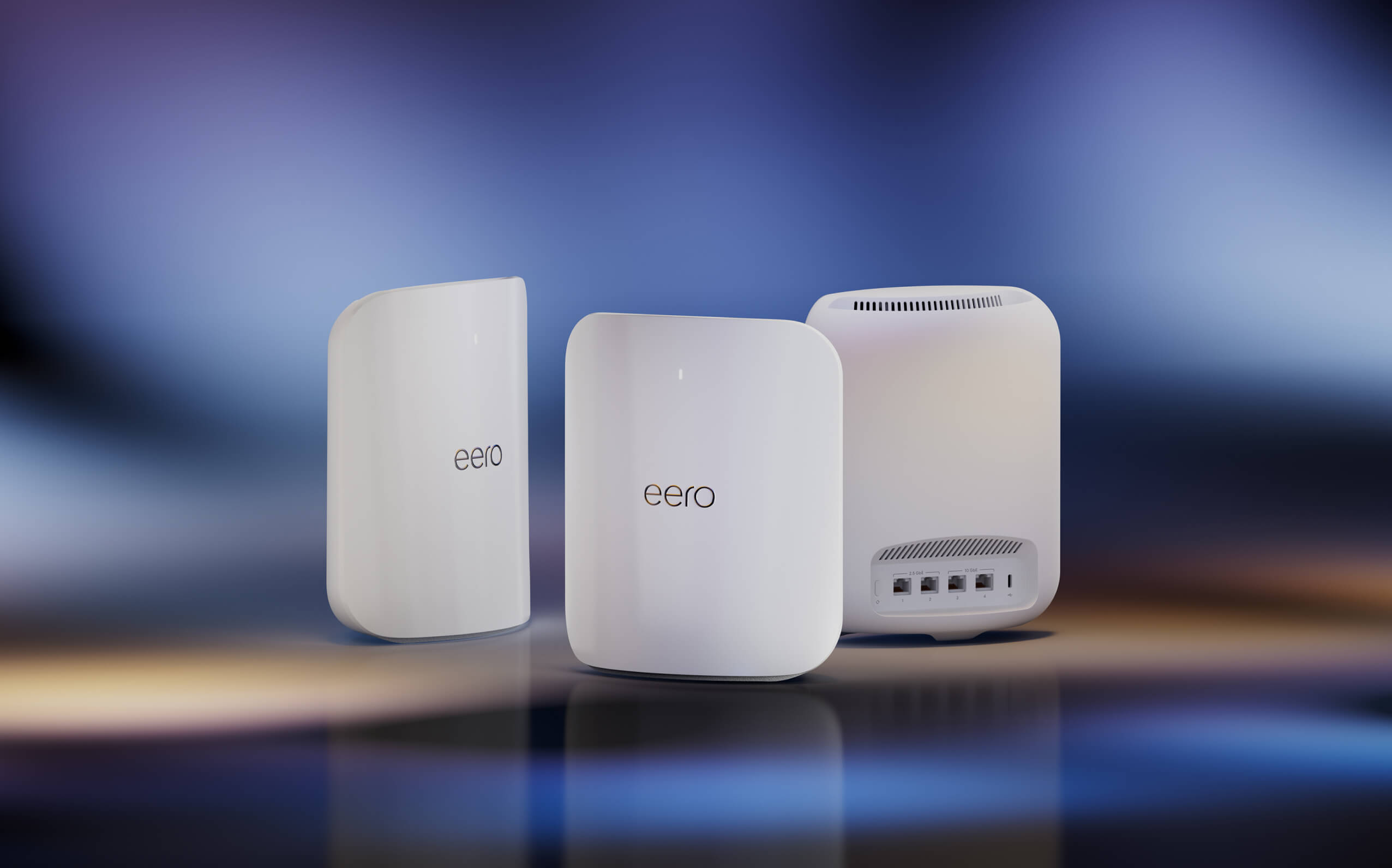
The Eero Max 7 combines WiFi 7 performance with Eero's famously simple setup. Two 10G ports per node and wired backhaul support make it a serious system dressed in a minimal package.
✅ Pros
- +WiFi 7 with two 10G ports per node
- +Wired backhaul support for maximum inter-node throughput
- +Easiest setup experience in the WiFi 7 mesh category
- +Deep Amazon ecosystem integration (Alexa, Ring, Sidewalk)
❌ Cons
- −Advanced network settings require Eero Plus subscription
- −Limited configuration for power users vs. mesh competitors
- −Expensive per-node cost vs. ASUS AiMesh alternatives
The Amazon Eero Max 7 makes a specific argument: that the best mesh system isn't the one with the most configuration options — it's the one that works perfectly without any configuration at all. For the majority of households who want a premium wireless experience without learning networking terminology, that argument is convincing.
Key Features
Each Eero Max 7 node is a dual-band WiFi 7 device: 5 GHz and 6 GHz, with 2.4 GHz for legacy devices and IoT hardware. The standout hardware spec is the port configuration — two 10G Ethernet ports per node. Unlike most mesh systems that include a single 2.5G port as an upgrade from gigabit, the Max 7 supports full 10G wired backhaul between nodes and 10G connections to wired clients. A two-node setup with a 10G switch between the nodes achieves backhaul throughput that most wireless systems can only approximate.
Multi-Link Operation allows WiFi 7 clients to maintain concurrent connections on 5 GHz and 6 GHz, with the system managing which path handles which traffic in real time. The practical result: lower latency for gaming and video calls, higher sustained throughput for large transfers, and more resilient connections as client devices move through the home.
Each node includes a quad-core 2.0 GHz processor and 1 GB RAM — generous specs for a mesh node that ensure the routing logic, security scanning, and QoS processing don't compete for resources as client loads increase.
Who It's Best For
The Eero Max 7 is the right mesh system for three types of buyers. First: households that want top-tier wireless performance with zero networking complexity — the setup takes under five minutes and the system self-manages thereafter. Second: multi-gig ISP subscribers who want to distribute that bandwidth wirelessly throughout a large home without wired drops in every room. Third: Amazon ecosystem households where Alexa device management, Ring camera integration, and the Eero Sidewalk network (which shares a small slice of bandwidth for smart home device range extension) add genuine value.
Power users who want VLAN support, custom DNS configuration, or deep traffic visibility should look at ASUS AiMesh or Ubiquiti instead.
Standout Capabilities
Eero's self-healing mesh architecture automatically reroutes traffic when a node loses connectivity or experiences congestion, without any user action required. In a home with three or more nodes, this creates a genuinely resilient wireless network that continues to perform as devices move between rooms and the wireless environment changes throughout the day.
The Eero app provides a clean per-device activity view, simple content filtering via Eero Plus, and automatic firmware updates that install overnight without disrupting connections. For households where the router is a utility — something that should just work — the Max 7's combination of WiFi 7 hardware and Eero's management layer is the cleanest implementation in the category.
The Amazon Eero Max 7 is available on Amazon. For households that prioritize ease of use alongside premium WiFi 7 performance, it's the mesh system to beat.
Our Verdict
The Eero Max 7 combines WiFi 7 performance with Eero's famously simple setup. Two 10G ports per node and wired backhaul support make it a serious system dressed in a minimal package.
Ready to buy the Amazon Eero Max 7?
Buy on Amazon →Affiliate link — we may earn a commission at no extra cost to you.