Why You Can't Hear Movie Dialogue Anymore (and 7 Ways to Actually Fix It)
Published 2026-05-26 · By NetAudioHub Editorial
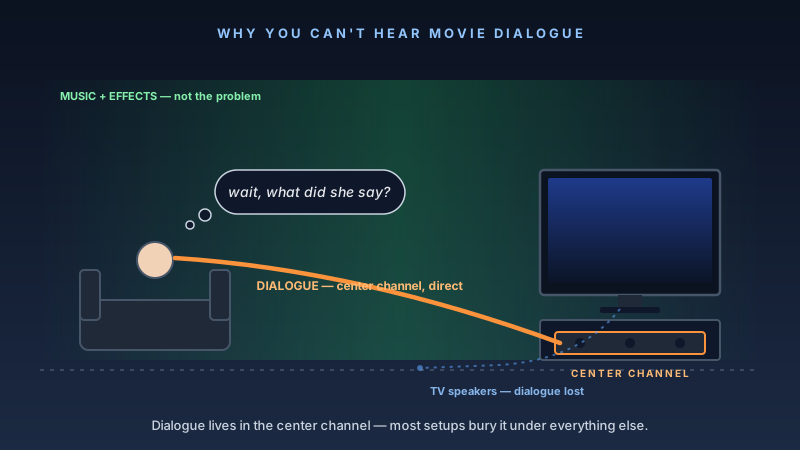
Dialogue is mixed quiet for calibrated theaters, then crushed by lossy streaming codecs and 8-watt TV drivers firing into the floor. Three free fixes solve 70% of complaints in 10 minutes; the rest need real center-channel hardware.
The verdict up front: you are not losing your hearing. Modern movies are mixed in dubbing stages for a calibrated 7.1.4 theatrical playback chain, where dialogue is anchored to the center channel and the rest of the soundfield is allowed a wide dynamic range. Streaming services then compress that mix into a lossy Dolby Digital Plus stream, your TV downmixes it into stereo, and your TV's bottom-firing 8-watt drivers spray what's left into the floor. The fix is to undo as much of that chain as you can. Three free fixes — Night Mode / Dynamic Range Compression, the soundbar's dialogue enhancement, and a center-channel level bump in your AVR setup — will solve 70 percent of dialogue complaints in 10 minutes. The remaining 30 percent need real hardware: a proper horizontal center channel speaker, a soundbar designed around voice clarity (the Zvox AccuVoice line, the Sennheiser AMBEO Soundbar Mini, or the Polk MagniFi line), or in the worst cases a small amount of room treatment behind the listening position. This guide walks all seven fixes in order of cost.
Why Dialogue Got Harder
There's a real reason this is worse now than it was 15 years ago, and it isn't your ears or "actors mumbling more." Four trends converged.
1. Theatrical mixes now assume a calibrated dub stage. Sound mixers reference monitors set to a fixed sound pressure level — 85 dB SPL at the mix position with pink noise calibration — and they ride dialogue at around 50–65 dB SPL on that scale, with explosions and orchestral hits headed toward 100+ dB. The 35 dB dynamic range between dialogue and the loudest peaks sounds correct in a calibrated theater. In your living room, where the average playback level is 20–25 dB lower, that same dynamic range means dialogue sits down around 35 dB and a single drum hit will rattle the windows.
2. Streaming compresses the mix lossily. Netflix, Disney+, Max, and Prime Video all deliver Dolby Atmos via the Dolby Digital Plus (DD+) codec at bitrates between 384 and 768 kbps. That's enough headroom to preserve the spatial cues, but it's nowhere near the original mix's resolution. Lossy codecs spend their bit budget on the loudest parts of the signal — the music, the effects — and starve the quieter parts, which is where dialogue lives. The same movie on a UHD Blu-ray with lossless Dolby TrueHD Atmos at ~6 Mbps will sound significantly clearer in the dialogue range. (We cover the codec landscape in detail in our piece on eARC vs ARC.)
3. TVs got thinner. A 65-inch TV from 2010 had room for forward-firing drivers and a proper voice coil. The same 65-inch panel today is 2 cm thick, drivers fire downward into your floor or backward into your wall, and the entire onboard amp is around 8 watts per channel. The TV's speaker is now the worst single component in the chain. Dolby and DTS both publish papers acknowledging that bottom-firing TV speakers degrade intelligibility by 6–10 dB before the signal even reaches your ear.
4. Center-channel content went up, not down. Modern Dolby Atmos object-based mixes pin dialogue to a fixed center-channel "voice" object more aggressively than the old 5.1 channel-based mixes did. That's good if you have a center channel. It's catastrophic if your soundbar or your TV speakers are downmixing that center object into a phantom center across two side drivers, because phantom-center imaging falls apart at off-axis listening positions and in rooms with first-reflection issues.
Add those four trends together and you get: a dialogue stem mixed quiet and clear for a controlled theater, squeezed through a low-bitrate codec, downmixed by a budget chip in your TV, and delivered by 8-watt drivers pointed at your floor. Of course you can't hear it.
The good news is each of those layers has a fix.
The Seven Fixes, Cheapest to Most Expensive
Work through these in order. Most people stop at fix #3 or #4.
Fix 1 — Turn on Dynamic Range Compression (free, 30 seconds)
Every AVR and most modern soundbars have a setting called "Night Mode," "Dynamic Range Compression," "Dialog Volume," "DRC," "Late Night," or "Comfort." Different brands call it different things. It is the single most impactful setting for dialogue clarity and most people never touch it.
What it actually does: the receiver looks at the audio stream's metadata (Dolby Digital and Dolby Digital Plus both carry "dialnorm" and "DRC" metadata produced by the original mix) and compresses the dynamic range of the loudest content. Explosions and music get pulled down toward dialogue level. Dialogue stays where it was. The 35 dB gap from the dubbing stage becomes a 15–20 dB gap, which is roughly what a living-room SPL can resolve.
You will lose some impact on action scenes. You will not lose any actual content. For 90 percent of households on 90 percent of nights, that's the right tradeoff.
Where to find it:
- Denon / Marantz AVRs: Setup → Audio → Dynamic Range Compression → "Auto," "Low," "Mid," or "High." Start with Auto, escalate to Low if dialogue is still buried.
- Yamaha AVRs: Sound → Adaptive DRC, or the dedicated "Night Mode" remote button.
- Sonos soundbars: Settings → System → [Your soundbar] → Speech Enhancement (separate from Night Sound). Both are useful — turn both on.
- Samsung soundbars: Sound Mode → Adaptive Sound, plus the "Voice Enhance" toggle in Sound Settings.
- LG soundbars / TVs: Sound Out → Advanced → "Auto Volume Leveling" off, "Clear Voice Pro" on. (Auto Volume Leveling on LG TVs actually fights dialogue clarity — it normalizes loudness window-by-window in a way that flattens consonants. Turn it off.)
- Sony Bravia TVs / Bravia Theater bars: Sound → Voice Zoom 3 (the AI-driven version on 2023+ models is genuinely good), or the older "Voice" mode preset.
- Apple TV 4K: Settings → Video and Audio → Audio → "Reduce Loud Sounds." Apple does this in the streaming app itself, which means it works for any output device — TV speakers, soundbar, AVR.
Try Apple's "Reduce Loud Sounds" first if you use an Apple TV. It's the simplest, most universal version of this fix.
Fix 2 — Enable Voice / Dialogue Enhancement on Your Soundbar or AVR (free, 30 seconds)
This is a different feature from DRC. DRC compresses everything except dialogue down. Voice enhancement boosts the dialogue range itself — typically a +3 to +6 dB shelf in the 1–4 kHz range where consonants live, sometimes combined with a notch around 200 Hz to reduce the chest-tone muddiness that makes male voices hard to parse.
Brand-specific:
- Sonos: Speech Enhancement toggle. Subtle but effective.
- Bose: Dialogue Mode on Smart Soundbar 900 / Smart Ultra Soundbar.
- Samsung: Voice Enhance.
- LG: Clear Voice Pro / AI Sound Pro → "Clear Voice."
- Sony: Voice Zoom 3 (AI-driven, adjustable in 4 steps).
- Denon / Marantz AVRs: Dialogue Enhancer in the AVR's Audio menu — not the same as Audyssey, and not the same as DRC. Aim for "Low" or "Medium." High starts to make voices sound nasal.
- Yamaha: "Clear Voice" / "Dialogue Lift" — Yamaha's "Dialogue Lift" is interesting because it raises the perceived height of the center image, which helps when your center channel is below the TV and the screen is at eye level.
The "right" amount of enhancement is the smallest amount that lets you understand whispered dialogue without subtitles. If voices start sounding artificial or sibilant, you've gone too far.
Fix 3 — Calibrate (and Then Manually Boost) the Center Channel (free, 5 minutes)
If you have an AVR, you have a center channel, and your AVR has a setup mic — Audyssey on Denon/Marantz, YPAO on Yamaha, Dirac Live on higher-end models, Sonarworks on a small number of brands. Run the calibration. Then override it for the center channel.
Auto-calibration systems are good at making the overall soundstage sound right at a fixed listening position. They are systematically conservative on the center channel because pushing it harder can introduce comb filtering with the L/R speakers in a small room. For dialogue intelligibility specifically, you want the center channel running 2–4 dB hotter than the calibration sets it.
Step-by-step on a Denon or Marantz:
- Run Audyssey or your AVR's setup routine first. Let it complete normally.
- After it finishes, go to Settings → Speakers → Levels.
- Note the center channel level it set (typically somewhere between –3.0 and +3.0 dB).
- Add 2 dB to that number. Save.
- Re-test with a known dialogue-heavy scene. The Bourne Ultimatum opening, Dune Part Two's council scene, or any Tár scene with low-volume conversation are good references.
If 2 dB isn't enough, try 3. If 4 dB doesn't fix it, the issue isn't level — it's positioning or the center speaker itself, and you need Fix 4 or Fix 6.
For soundbar users without a discrete center: the equivalent is the soundbar's "Center Level" or "Voice Level" setting in its app. Same idea — push it up 2–4 steps and re-evaluate.
Fix 4 — Reposition Your Center Channel (free, 10 minutes)
Center channel speakers are extremely sensitive to vertical placement and horizontal angling. Most home setups get both wrong.
The rules:
- Acoustic axis should aim at your ears at the listening position. Not at your chest, not at the ceiling. Most center channels have a tweeter at one end of the horizontal cabinet and a midrange/woofer at the other. The line connecting those drivers is the speaker's acoustic axis. Aim it.
- The speaker should be within 0.5 m vertical of the TV's center. Above the TV is acceptable. Below the TV is acceptable. Inside an enclosed AV cabinet is not acceptable — the cabinet's standing waves will color the midrange exactly where voices live.
- Tilt the cabinet if it sits low. If your center channel is on the floor or on a low entertainment-center shelf, tilt the front of the speaker up 5–10 degrees so the acoustic axis intercepts the listening position. A pair of $5 rubber feet under the back of the cabinet does the job.
- Pull the speaker forward. A center channel pressed back against the wall behind the TV will get a 6 dB low-shelf boost from boundary reinforcement, which sounds bigger but muddies dialogue. Pull it 4–6 inches forward of the wall plane.
- Mind the screen. If your TV is a projector screen or large OLED panel, the panel will partially diffract midrange frequencies coming off a speaker placed directly behind or below it. Some acoustically transparent projector screens are designed for an LCR setup behind the screen; flatscreens are not. Place the center channel just below the TV with at least 2–3 inches of vertical clearance.
If after repositioning you still can't hear dialogue, the problem is the speaker itself.
Fix 5 — Switch the AVR's Speaker Mode to "Small" for Mains and Center (free, 5 minutes)
This one is non-obvious. Most AVR setup mics will identify your front-left/right and center channel speakers as "Large" (meaning the speaker can handle full-range bass below 80 Hz). For dialogue clarity, set every speaker — including the mains and center — to "Small" with an 80 Hz crossover. Send everything below 80 Hz to the subwoofer.
Why this helps:
- The center channel is no longer trying to reproduce 40–80 Hz content (chest-tone rumble in male voices, music low end). Its mid and high drivers can stop fighting cabinet resonances in that range, and dialogue articulation improves.
- The crossover frees the L/R mains to handle the music and effects without muddying the 100–250 Hz "presence" range where speech intelligibility lives.
- The subwoofer handles all the LFE and below-80 Hz content from one optimized driver in one optimized position, which sounds more coherent than spreading low end across three speakers.
This setup is what THX and Dolby both recommend for any 5.1 / 5.1.2 / 7.1.4 system, regardless of speaker quality. If your AVR setup left the center channel as "Large," you're losing 2–4 dB of dialogue clarity to its own bass output.
Fix 6 — Get a Real Center Channel Speaker ($150–$700)
If you have an AVR and you're running the front L/R as a stereo pair without a dedicated center, this is the single biggest upgrade you can make for dialogue intelligibility. A horizontal center channel speaker with a properly designed crossover and a dedicated dome tweeter will outperform any "phantom center" rendering from two side speakers by a wide margin, especially at off-axis seats.
Three center channel speakers worth knowing about at three price points:
Budget pick — Polk Audio Signature Elite ES35 (~$200). A two-way design with a 1-inch terylene dome tweeter and dual 5.25-inch mid-bass drivers. The crossover is voiced for voice — there's a slight presence-region boost in the 2–4 kHz range that makes consonants cut through music. Polk's price-to-performance ratio in this category has been strong for a decade. Polk Signature Elite ES35 on Amazon.
Mid-range pick — Klipsch RP-504C II (~$700). A four-driver center with a horn-loaded titanium tweeter. Klipsch's horn loading gives the center channel a noticeably higher dialogue level for the same amplifier power, which is exactly what voice clarity needs. The tradeoff is voicing — the horn coloration is louder in the upper midrange than most listeners are used to, so the speaker can sound forward at first. After a week your ears adjust and you'll never miss a line of dialogue again. We have a full review of the RP-504C II — its four 5.25-inch woofers and 1,950 Hz crossover put the horn above the dialogue band, and it crosses to a sub at 80 Hz with no gap — plus a review of the RP-600M II bookshelf in the same line that explains the horn-loading approach in more detail. Check the width before you commit: the RP-504C II is 32 inches across and needs 4+ inches of wall clearance for its rear port. Klipsch RP-504C II on Amazon.
End-game pick — KEF Q650c (~$650). A three-way design with KEF's signature Uni-Q coaxial tweeter-and-midrange driver in the center, flanked by two 6.5-inch woofers. The Uni-Q approach puts the high-frequency and midrange drivers on the same physical axis, which means dialogue doesn't smear vertically as you move your head — every seat in the room hears the same dialogue. For a long couch with multiple listeners, this is the most defensible technical advantage in the consumer-priced center channel category. KEF Q650c on Amazon.
Whichever you pick, the install is the same: place it horizontally below or above the TV, set it to "Small" with an 80 Hz crossover, re-run Audyssey/YPAO/Dirac, then add 2 dB to the calibrated level.
Fix 7 — Get a Dialogue-Optimized Soundbar Instead ($200–$1,300)
If you don't have an AVR and you don't plan to buy one, the soundbar category has a real subcategory of voice-first models that are dramatically better at dialogue than the general consumer bars. The tradeoff is they don't sound as cinematic on action scenes — exactly the tradeoff you want if you're reading this article.
Dialogue-first — Zvox AccuVoice AV257 (~$400). Zvox builds nothing but dialogue-clarity soundbars. The AccuVoice line uses a hardware-DSP processing pipeline that boosts the 1.5–3.5 kHz speech band by up to 12 dB on the highest setting. It is not a Dolby Atmos bar. It is not a music bar. It is a "I want to hear what they're saying" bar, and at that one job it has no real competitor under $1,000. The AV257 is the most current model in the line with 6 levels of AccuVoice intensity and a built-in subwoofer chamber. Zvox AccuVoice AV257 on Amazon.
All-rounder with the best dialogue in its class — Sennheiser AMBEO Soundbar Mini (~$650). Sennheiser's mic-based room calibration ("AMBEO Customization") is more granular than any other consumer soundbar's. It includes a dedicated "Voice" boost in 3 levels that sits on top of the spatial mix without flattening it. The result is a soundbar that does proper Atmos virtualization and keeps voices on top of the mix. The full-size AMBEO Soundbar Plus is overkill for most rooms; the Mini is the sweet spot.
Strong center with separate sub — Polk MagniFi Max AX SR (~$700). Polk's "VoiceAdjust" is a 5-level voice-prominence dial that's been refined over four product generations and works reliably. The package includes a wireless subwoofer and wireless surrounds for true 5.1.2, which means the soundbar can stop trying to virtualize surrounds and focus on dialogue from the center driver array.
Budget pick — Polk Audio Signa S4 (~$350). Polk's Voice Adjust is a dialogue-level control that works independently of the master volume, which is the one feature this article is about, and the wireless subwoofer is included rather than an upsell. It has no upward-firing drivers, so its Atmos is processed rather than reflected — a fair trade at this price if dialogue is the actual complaint. See our full review.
Compact pick — Sonos Beam (Gen 2) (~$500). Our review rates its dialogue clarity as class-leading for a compact bar, and at 25.6 inches it fits under almost any TV. The honest limits: virtual Atmos with no up-firing drivers, no DTS:X, and it wants a subwoofer in a mid-size room. See our full review.
Premium pick — Sonos Arc Ultra (~$1,000). Sonos's Speech Enhancement on the Arc Ultra has three levels rather than the original Arc's binary toggle, and the center array now includes a dedicated waveguide-loaded tweeter for dialogue. Combined with Trueplay room correction it's a real improvement over the original Arc. If you already have a Sonos ecosystem, this is the in-family choice.
For most readers we recommend trying the free fixes 1–3 first, then jumping to fix 6 (real center channel) if you already own an AVR, or fix 7 (voice-first soundbar) if you don't. Skip fix 4 and fix 5 only because they're so cheap to try — there's no reason not to.
What About Room Treatment?
If you've worked through fixes 1–7 and dialogue is still hard to parse, the problem may be the room itself. Three patterns:
- Bare hard floors and large reflective walls. First-order reflections off the floor between the soundbar and your couch arrive 5–15 ms after the direct sound and cancel certain dialogue frequencies through comb filtering. A 6x9 rug between the TV and the seating position kills the floor bounce almost entirely.
- High ceiling above the listener. Atmos height effects do most of their work above the listener, which is great for spatial impact and terrible for dialogue intelligibility if you have a vaulted ceiling. A single 2x4-foot acoustic panel directly above the primary listening position absorbs the ceiling bounce and dramatically improves dialogue clarity. GIK Acoustics 242 panels are the consensus pick at ~$120 each; 4-inch-thick rockwool panels in fabric frames are the DIY equivalent at ~$40 each.
- Glass surfaces directly behind the listener. A picture window or sliding glass door behind the couch creates a strong rear reflection that arrives at the back of the listener's head 8–12 ms after the front sound. Heavy curtains or a wall-mounted absorber panel behind the couch eliminate it.
Room treatment is a real $200–$500 step for dedicated home theaters. For a living room used for TV, fixes 1–7 above will almost always get you there without touching the walls.
When the Problem Is Actually the Source
Two situations where dialogue clarity has nothing to do with your equipment:
Streaming service is delivering a downmix. Some streaming apps default to "stereo" or "5.1" output even on Atmos-capable devices. Open the app's audio settings during playback and confirm:
- Netflix: "Best Quality" audio enabled in the account-level Playback Settings.
- Disney+: 5.1 / Atmos showing in the in-app audio menu (a small icon during playback).
- Apple TV+: Atmos showing as the current output in Control Center while the show plays.
- Max / Prime Video: 5.1 or Atmos selected in the audio track menu, not stereo or "2.0."
If your streaming app is sending 2.0 stereo to your soundbar, the soundbar's center driver is doing nothing — it's all going to L/R. Switch to the proper multichannel audio track first, then re-check dialogue.
Source is a stereo broadcast or older content. Pre-2000 TV shows, older sports broadcasts, and most cable news feeds are stereo. There is no center channel content to enhance. The fix is the soundbar/AVR's upmixing mode — Dolby Surround Upmixer, DTS Neural:X, or the equivalent on your unit — which synthesizes a center channel from the stereo signal and lets all of fixes 1, 2, and 3 actually apply. Without upmixing, "Speech Enhancement" on a stereo source is doing nothing because there's no discrete dialogue stream to enhance.
The Bottom Line
Modern movies and TV are mixed for a calibrated theatrical playback chain that almost no home setup replicates. The dialogue is there, in the mix, on a discrete center-channel object — but your TV's downmix, your codec, your speaker positioning, and your room are all conspiring to bury it.
The fastest path through this:
- Turn on DRC / Night Mode in your AVR or soundbar settings.
- Turn on Voice / Speech Enhancement in the same place.
- If you have an AVR, boost the center channel +2 dB and set every speaker to "Small" with an 80 Hz crossover.
- Reposition the center channel so its tweeter aims at your ears.
- If dialogue is still buried after the four free fixes, buy real center-channel hardware: a proper horizontal center if you own an AVR, or a voice-first soundbar (Zvox AccuVoice, Sennheiser AMBEO Mini, Polk MagniFi, or Sonos Arc Ultra) if you don't.
Most households can get from "I keep turning on subtitles" to "I can follow the whisper scene" without spending anything. The hardware fixes exist for households where the soundbar is the speaker chain, and even there the AccuVoice and AMBEO products solve the problem at well under what most people spent on the TV itself.
For more on getting the rest of the home-theater chain right, see our pieces on eARC vs ARC, the Dolby Atmos at-home setup guide, and the HDMI 2.1 features explainer.
Affiliate disclosure: Links in this article use the tag `webstore0fd1-20`. NetAudioHub earns a commission on qualifying purchases at no extra cost to you.