ASUS RT-BE88U Review: The WiFi 7 Router for Wired Homes
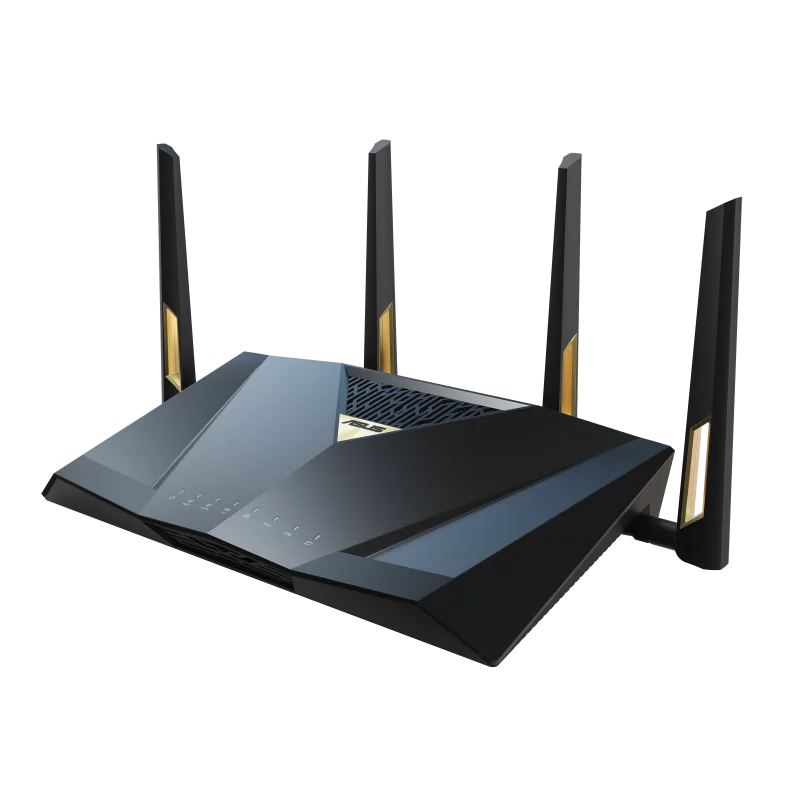
The ASUS RT-BE88U skips 6 GHz but stacks dual 10G, quad 2.5G, and quad 1G ports into one BE7200 WiFi 7 router. The best pick for wired-heavy, multi-gig homes.
✅ Pros
- +Best-in-class wired I/O: dual 10G (RJ45 + SFP+), quad 2.5G, quad 1G — 34 Gbps aggregate
- +Both copper 10G and 10G SFP+ fiber, so any multi-gig ISP handoff works natively
- +WiFi 7 protocol features (MLO, 4K-QAM, 240 MHz) on 2.4/5 GHz
- +Subscription-free AiProtection Pro security
- +Deep, configurable ASUS web UI with VLANs, VPN Fusion, and WireGuard
- +Quad-core 2.6 GHz CPU handles VPN and security scanning without throttling
- +AiMesh-extendable if you need more coverage later
❌ Cons
- −No 6 GHz band — the biggest wireless upside of WiFi 7 is absent
- −Wireless-only peak throughput trails tri-band WiFi 7 routers
- −Single-unit coverage — not a whole-home solution on its own
- −The web UI's depth is overkill for anyone who wants set-and-forget simplicity
- −Physically large with four external antennas — not a discreet router
Verdict: The RT-BE88U is the WiFi 7 router for homes that run on wires. It skips the 6 GHz band entirely — a real limitation for wireless-first setups — but in exchange it packs the deepest wired I/O of any router near its price: two 10G ports (one RJ45, one SFP+), four 2.5G ports, and four 1G ports, for 34 Gbps of aggregate wired capacity. If you have multi-gig internet, a NAS, a downstream switch, and Ethernet in the walls, this is the router that stops your ports from being the bottleneck. If you were buying it for fast 6 GHz WiFi, buy something else.
Check the current price on Amazon →
Key Specs at a Glance
| Spec | Detail |
|---|---|
| WiFi Standard | WiFi 7 (802.11be) |
| Class | BE7200 |
| Bands | Dual-band: 2.4 GHz + 5 GHz (no 6 GHz) |
| WiFi 7 Features | MLO (5 GHz + 2.4 GHz), 4K-QAM, 240 MHz channels on 5 GHz |
| 10G Ports | 1× 10G RJ45 (WAN/LAN) + 1× 10G SFP+ |
| 2.5G Ports | 4× 2.5 GbE (one WAN/LAN, three LAN) |
| 1G Ports | 4× 1 GbE LAN |
| Aggregate Wired Capacity | 34 Gbps |
| USB | 1× USB 3.2 Gen 1 (Type-A) |
| CPU | Quad-core 2.6 GHz |
| Mesh | AiMesh (extendable with other ASUS AiMesh routers) |
| Security | AiProtection Pro (Trend Micro), subscription-free |
| VPN | WireGuard, OpenVPN, IPSec, L2TP, PPTP, Instant Guard |
| Price | ~$299.99 street (MSRP $349.99) |
The Big Trade-Off: No 6 GHz
Most WiFi 7 routers lead with the 6 GHz band. The RT-BE88U doesn't have one. It's a dual-band router — 2.4 GHz and 5 GHz only — with the WiFi 7 protocol features layered onto those two bands.
That sounds like a downgrade, and for some buyers it is. But it's a deliberate design choice, and it reframes what this router is for:
- What you lose: the clean, low-congestion 6 GHz spectrum and the 320 MHz channels that flagship WiFi 7 routers use to hit their highest wireless numbers. In a dense apartment building, 6 GHz is the single best thing about WiFi 7 for wireless clients.
- What you keep: WiFi 7's other protocol upgrades still apply to 2.4/5 GHz. You get Multi-Link Operation (MLO) bonding 2.4 GHz and 5 GHz, 4K-QAM for ~20% more data per transmission versus WiFi 6E, and wide 240 MHz channels on 5 GHz.
- Where the money went instead: the wired ports. ASUS put the 6 GHz budget into the most complete port layout in this class.
If your devices connect over Ethernet more than WiFi — or your WiFi clients are mostly phones and laptops on a 5 GHz link that already saturates your internet plan — the missing 6 GHz radio may never cost you anything. If you were counting on 6 GHz for a wireless VR headset, a 6 GHz-capable laptop next to the router, or a congested-spectrum apartment, this is the wrong router. Get a tri-band system like the TP-Link Archer BE800 instead.
The Ports Are the Product
This is where the RT-BE88U earns its place. The wired I/O is genuinely class-leading:
- 1× 10G RJ45 (WAN/LAN): copper 10 Gigabit for a multi-gig ISP handoff or a 10G LAN device.
- 1× 10G SFP+: a fiber cage for a direct fiber ISP or a 10G fiber link to a switch — no media converter needed.
- 4× 2.5 GbE: one is WAN/LAN-assignable; the other three are LAN. This is where your NAS, desktop, and downstream 2.5G switch land.
- 4× 1 GbE: for everything that doesn't need multi-gig — printers, consoles, IoT bridges.
34 Gbps of aggregate wired capacity is the headline. In practice, the useful pattern is: one 10G port faces your internet (fiber via SFP+ or copper via the RJ45), and the second 10G port plus the 2.5G ports feed your wired backbone. You can run a 10G link to a NAS and still have a 10G uplink to the ISP — a configuration that costs far more on most competing routers, if it's possible at all.
The flexibility of having both a 10G RJ45 and a 10G SFP+ is the quiet win. Fiber-to-the-home users get a native SFP+ handoff; copper multi-gig users get RJ45. You're not forced into a media converter either way.
Performance
On the 5 GHz band, real-world throughput to a WiFi 7 or WiFi 6E client lands in the 1.5–2.3 Gbps range at close to moderate range — enough to saturate a gigabit plan easily and to make good use of a 2 Gbps plan on a strong 5 GHz link. MLO adds a latency and reliability benefit by letting compatible clients hold both bands at once, though the aggregate ceiling is lower than a tri-band router that can add 6 GHz to the bond.
Wired is where the numbers get interesting. A 10G-connected NAS talking to a 10G-connected desktop through the router moves data at true multi-gig speeds — this is a router that can actually be the center of a 10G home network, not just advertise one 10G port and choke everywhere else.
The quad-core 2.6 GHz CPU keeps up with WireGuard VPN throughput and AiProtection Pro scanning without the router becoming the slow link, which matters if you route traffic through the built-in VPN.
Setup and Software
Setup is the standard ASUS experience: the ASUS Router app (iOS/Android) or the full web UI at router.asus.com. The web UI is the reason to buy ASUS if you want control — it exposes settings most consumer routers hide.
- AiProtection Pro is included with no subscription. That's a real cost advantage over Eero Plus or the paywalled security tiers on some competitors. It covers intrusion prevention, infected-device quarantine, and web filtering.
- AiMesh lets you extend coverage later by adding another ASUS AiMesh-compatible router as a node, wired or wireless. Wired backhaul over the 2.5G/10G ports is the way to do it here.
- VPN support is broad — WireGuard for speed, plus OpenVPN/IPSec/L2TP, and Instant Guard for one-tap remote access back to your home network.
- Advanced controls are all here: VLANs, VPN Fusion (per-device VPN routing), traffic analyzer, adaptive QoS, and firmware you can actually configure.
This is the opposite of the Eero philosophy. Where Eero hides everything for simplicity, ASUS shows you everything. If you want granular control, that's a feature; if you want a router you never think about, it's more surface than you need.
Who Should Buy the RT-BE88U
Buy it if:
- Your network is wired-heavy — a NAS, a desktop, a downstream switch, Ethernet in the walls.
- You have multi-gig internet (2.5G, 5G, or 10G) and want a router that won't cap it — especially fiber, where the SFP+ cage is a native handoff.
- You want 10G on both the WAN and LAN side without paying flagship-router prices.
- You value ASUS's deep web UI, subscription-free AiProtection Pro, and WireGuard VPN.
- You're comfortable that most of your fast traffic rides Ethernet, not 6 GHz WiFi.
Skip it and go tri-band if:
- You need clean 6 GHz spectrum — dense apartment, 6 GHz-capable clients, wireless VR/AR. Get the TP-Link Archer BE800 or a tri-band mesh.
- Your priority is peak wireless throughput to a device sitting right next to the router.
Skip it and go mesh if:
- You have a large or multi-story home and coverage matters more than ports. A single router — even a strong one — won't beat a WiFi 7 mesh for whole-home coverage. (You can add AiMesh nodes later, but a purpose-built mesh is cleaner.)
Pros and Cons
Pros
- Best-in-class wired I/O: dual 10G (RJ45 + SFP+), quad 2.5G, quad 1G — 34 Gbps aggregate
- Both copper 10G and 10G SFP+ fiber, so any multi-gig ISP handoff works natively
- WiFi 7 protocol features (MLO, 4K-QAM, 240 MHz) on 2.4/5 GHz
- Subscription-free AiProtection Pro security
- Deep, configurable ASUS web UI with VLANs, VPN Fusion, and WireGuard
- Quad-core 2.6 GHz CPU handles VPN and security scanning without throttling
- AiMesh-extendable if you need more coverage later
Cons
- No 6 GHz band — the biggest wireless upside of WiFi 7 is absent
- Wireless-only peak throughput trails tri-band WiFi 7 routers
- Single-unit coverage — not a whole-home solution on its own
- The web UI's depth is overkill for anyone who wants set-and-forget simplicity
- Physically large with four external antennas — not a discreet router
RT-BE88U vs. Tri-Band WiFi 7 Routers
| ASUS RT-BE88U | Typical Tri-Band WiFi 7 Router | |
|---|---|---|
| Bands | 2.4 + 5 GHz | 2.4 + 5 + 6 GHz |
| WiFi Class | BE7200 | BE19000–BE22000 |
| 6 GHz / 320 MHz | No | Yes |
| 10G Ports | 2 (RJ45 + SFP+) | Usually 1 (RJ45 only) |
| 2.5G Ports | 4 | 2–4 |
| Best For | Wired multi-gig homes | Wireless-first, dense spectrum |
The distinction is clean: a tri-band router wins on wireless; the RT-BE88U wins on wired. Pick based on where your fast traffic actually lives.
Bottom Line
The ASUS RT-BE88U is a specialist router that knows exactly what it is. By dropping 6 GHz, ASUS built the wired backbone router that WiFi 7's flagship tri-band models don't — dual 10G, quad 2.5G, quad 1G, and a real CPU behind them. For a home with multi-gig internet, a NAS, and Ethernet in the walls, it removes the port bottleneck that even expensive tri-band routers hit.
Just go in clear-eyed about the trade: this is a router for wired homes with WiFi as the finishing touch, not the other way around. Judged on that basis, it's excellent.
Rating: 4.3 / 5
Our Verdict
The ASUS RT-BE88U skips 6 GHz but stacks dual 10G, quad 2.5G, and quad 1G ports into one BE7200 WiFi 7 router. The best pick for wired-heavy, multi-gig homes.
Ready to buy the ASUS RT-BE88U?
Buy on Amazon →Affiliate link — we may earn a commission at no extra cost to you.